> ## Documentation Index
> Fetch the complete documentation index at: https://docs.smartsend.io/llms.txt
> Use this file to discover all available pages before exploring further.
# Connect agreement
> Connect PostNord to your Smart Send account.
## Connect agreement
To connect your Smart Send account with PostNord, you need an active PostNord shipping agreement. When you receive your agreement, you also get access to PostNord's platform, **Customer Portal** where your account information can be located.
To connect PostNord, start by logging into the Smart Send platform .
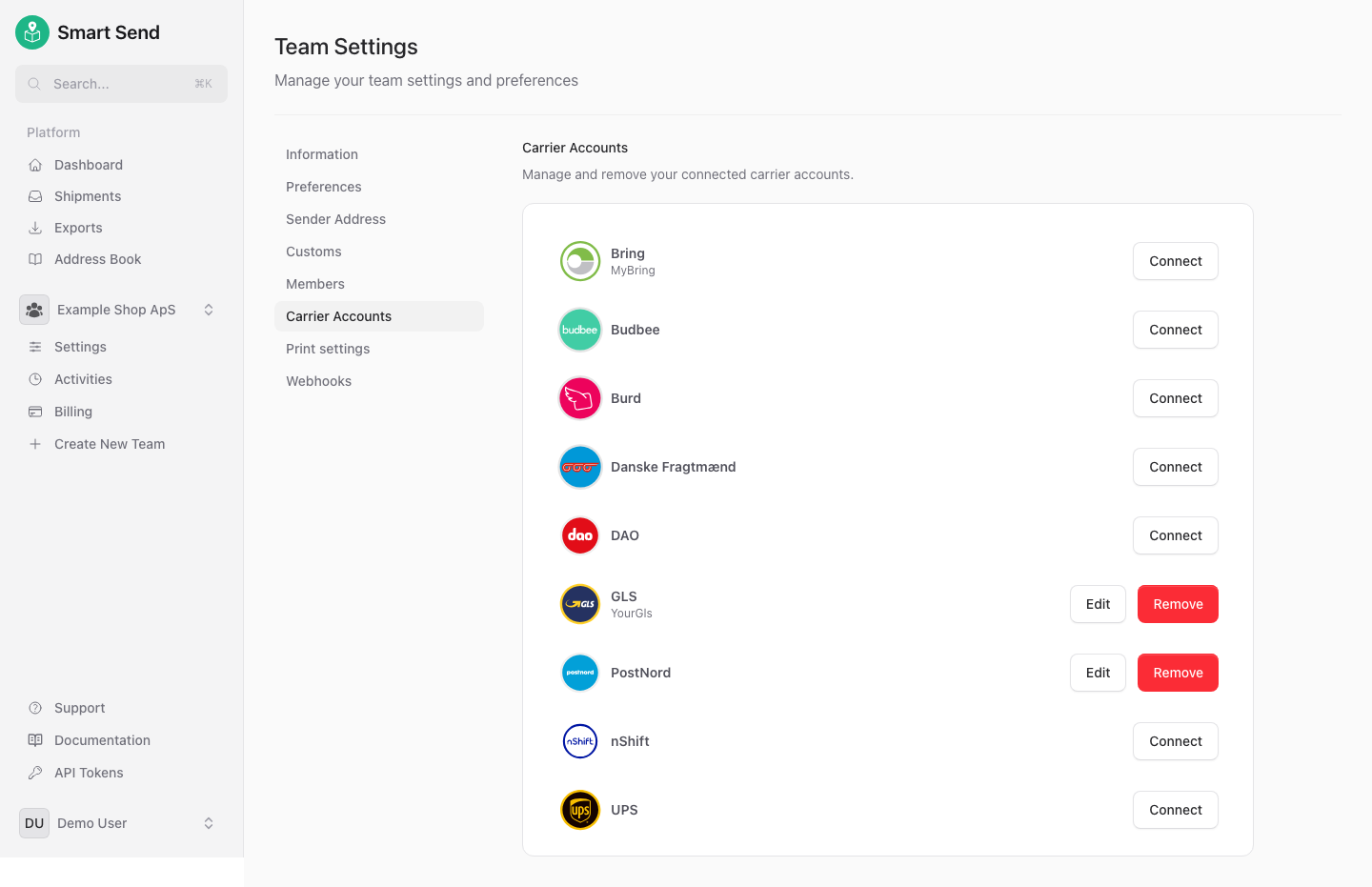
Go to **Carrier Accounts**
Next to *PostNord* click the **Connect** button
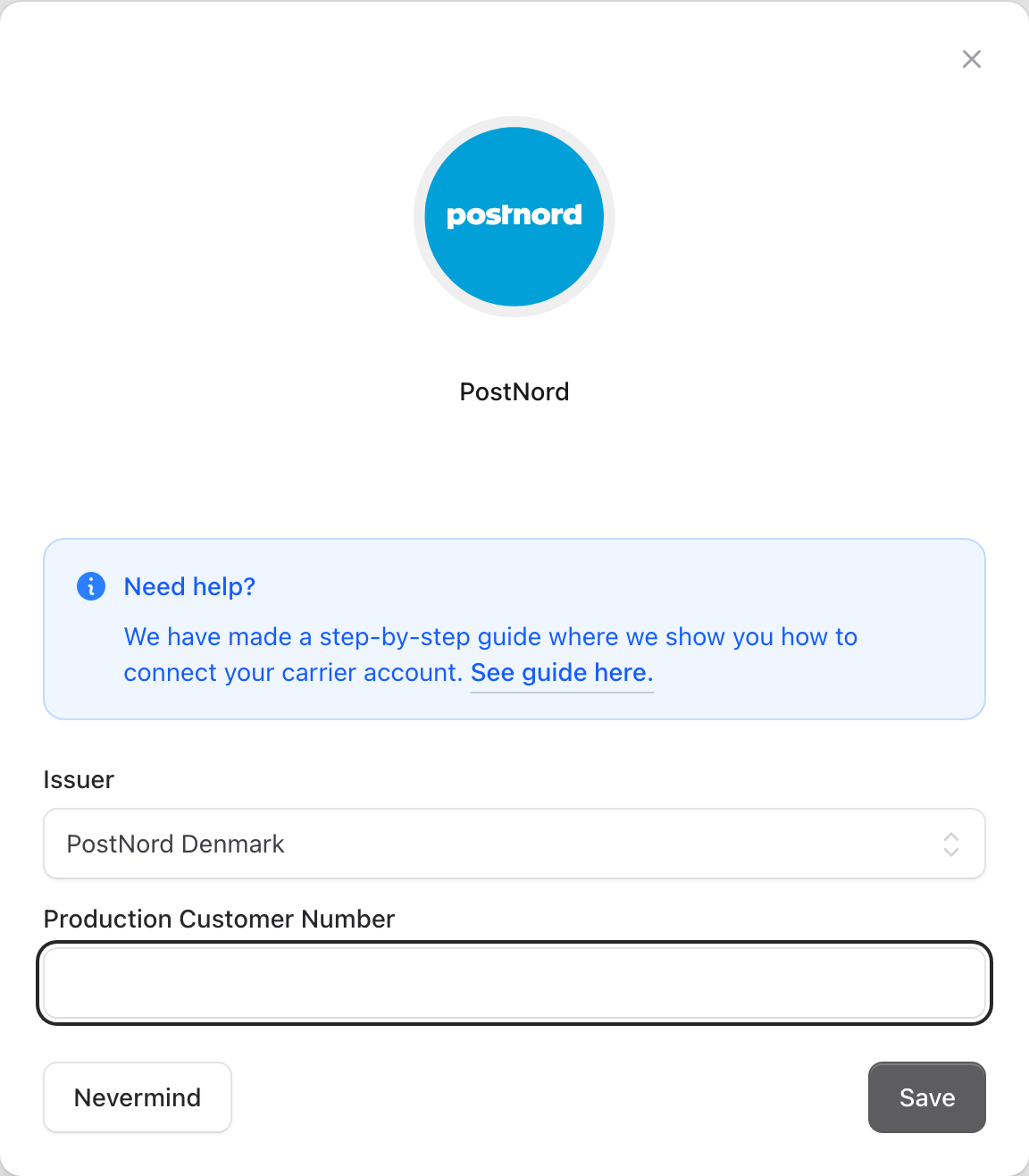
Select the country of your agreement (PostNord Denmark / PostNord Sweden / ...)
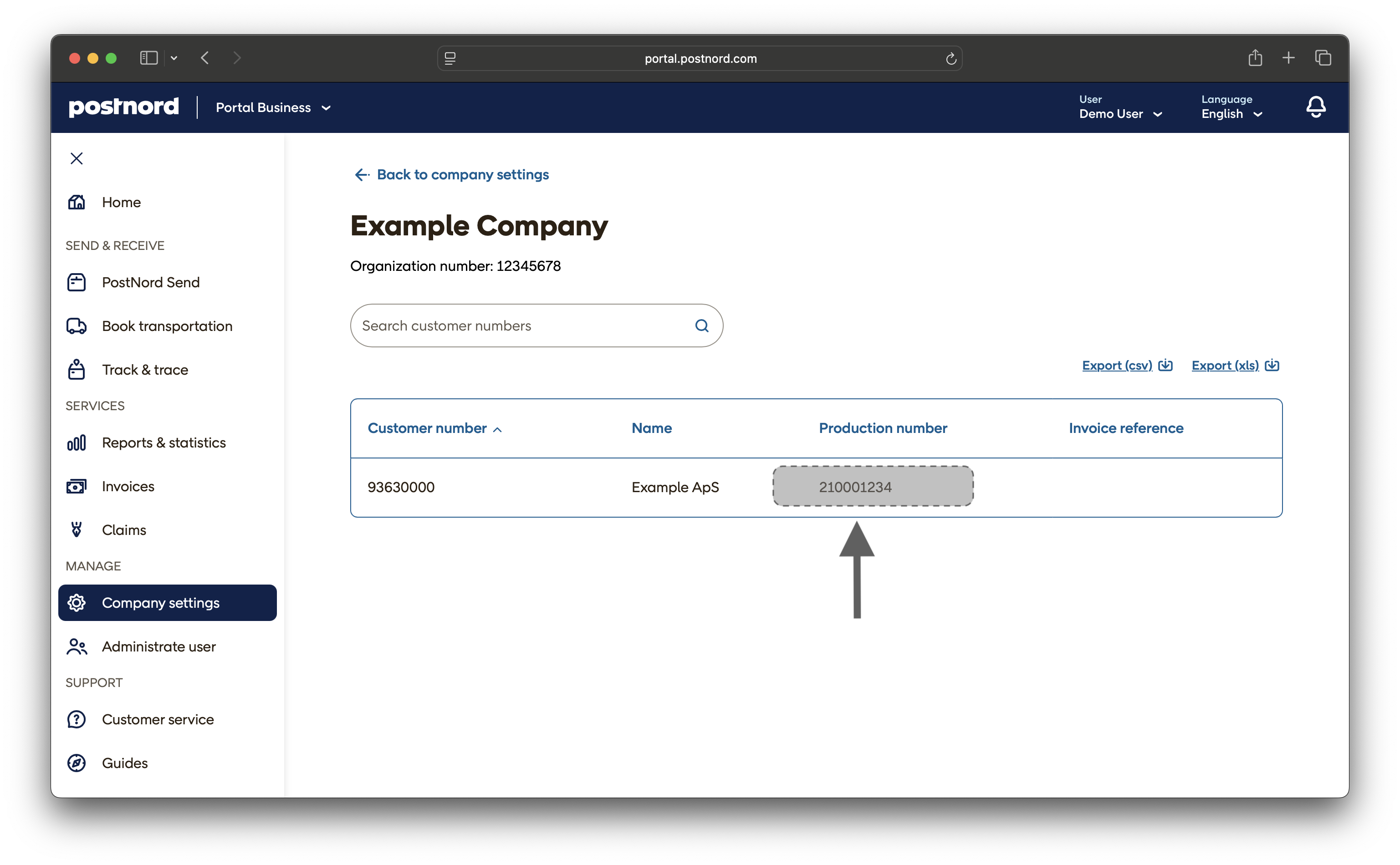
Enter your **Production Customer Number** (not to be confused with the *Customer Number*). See [where to find the Production Customer Number](#finding-your-production-customer-number).
Save the settings
### Finding your production customer number
You can find all of the required information by logging in to PostNord Customer Portal and navigating Company settings -> **Details** and look in the column **Production number**.
The **Productio Customer Number** should not be confused with the *Customer Number*. It can be found in the welcome email you receive after getting an agreement or it can be located at PostNord's Customer Portal.
The format is:
* PostNord Denmark: 9 digits
* PostNord Sweden: 10 digits
* PostNord Finland: 10 digits
* PostNord Norway: 7 digits
## Get agreement
You can create a PostNord business agreement online without needing to contact a sales representative. PostNord does not require a minimum shipping volume—if you send fewer than 200 parcels per month, you will automatically receive their fixed online business prices.
The signup process is fully digital and typically takes less than an hour.
Go to PostNord's online signup page
### Aggrement conditions
PostNord offers several ways to hand over your parcels depending on your agreement with them:
* **Regular pickups**: Schedule recurring pickups from your business address.
* **Ad-hoc pickups**: Request one-time pickups as needed.
* **Drop-off at a service point**: Bring parcels to a PostNord service point or parcel shop.
Choose the option that best fits your shipping workflow. You can manage pickup requests and find nearby drop-off locations in the PostNord Customer Portal .