> ## Documentation Index
> Fetch the complete documentation index at: https://docs.smartsend.io/llms.txt
> Use this file to discover all available pages before exploring further.

# Installation

> Installer Smart Send-appen fra Shopify App Store

Installer Smart Send-appen via Shopify App Store for at komme i gang med automatiseret forsendelse og afhentningssteder.

## Installer fra Shopify App Store

Gå til din Shopify-administration <Icon icon="arrow-up-right" size={12} />.

<Steps>
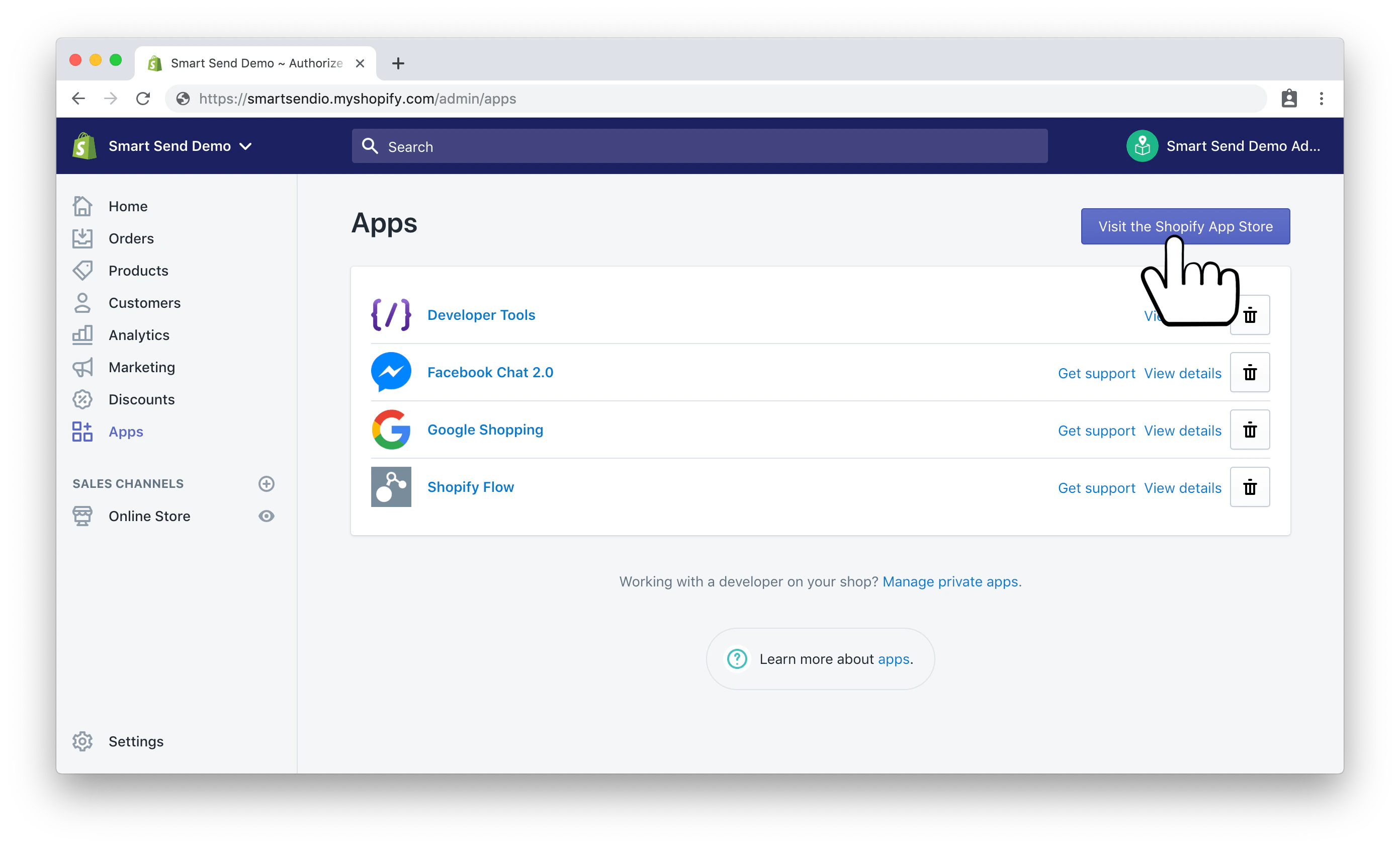
  <Step title="Naviger til Shopify App Store">
    Klik på **Apps** i menuen til venstre.

    <img src="https://mintcdn.com/smartsend/hLcvB1FxJcAYyyTe/images/shopify/Smart-Send-Shopify-install-001-apps.png?fit=max&auto=format&n=hLcvB1FxJcAYyyTe&q=85&s=b9c7f25f85da4185ae5c8d80523bd2bf" alt="Shopify Apps-side med App Store" width="2784" height="1686" data-path="images/shopify/Smart-Send-Shopify-install-001-apps.png" />
  </Step>

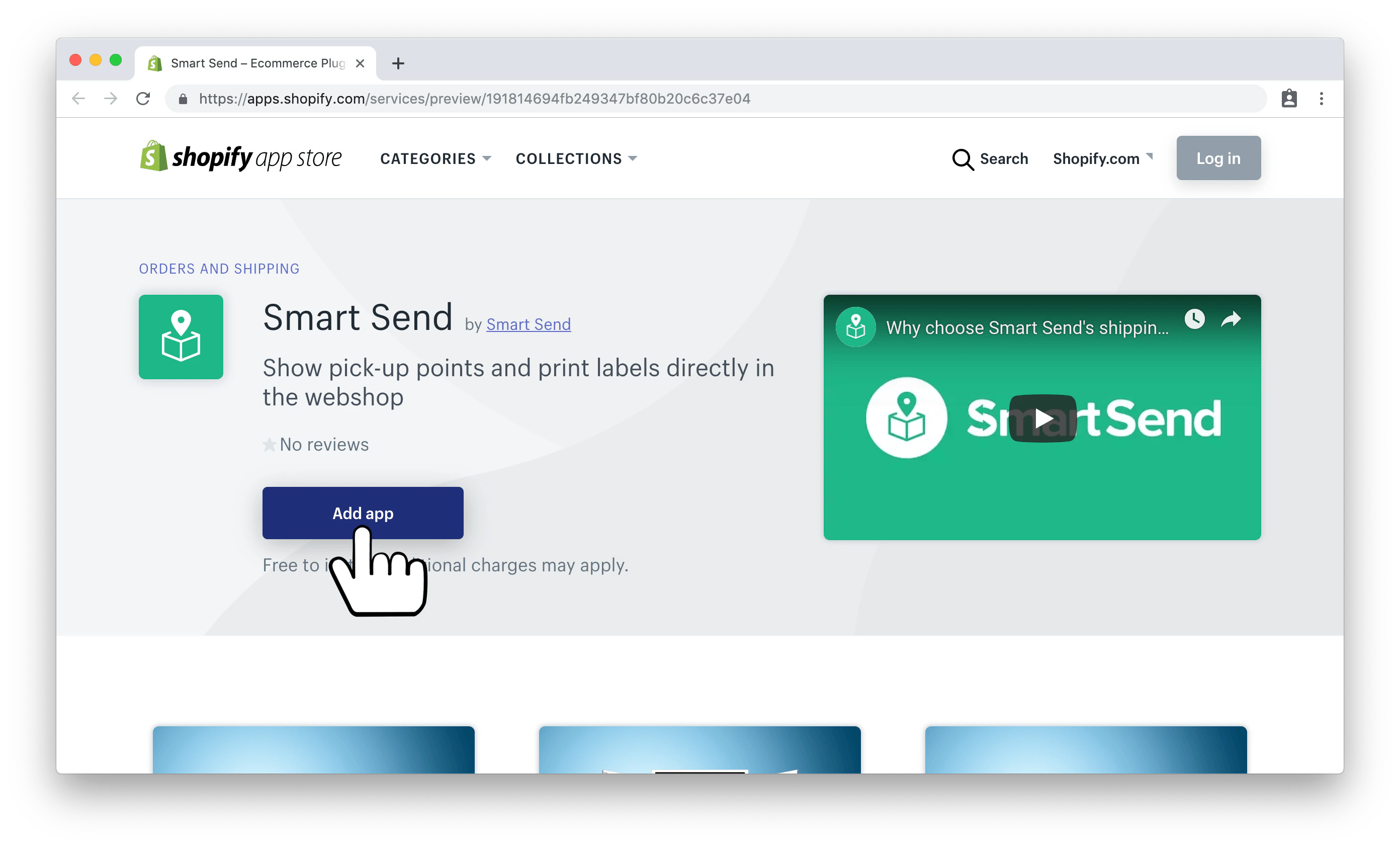
  <Step title="Søg efter Smart Send">
    Søg efter "Smart Send" i marketplace, eller <Link href="https://apps.shopify.com/smart-send">klik her for at gå direkte til vores app</Link> <Icon icon="arrow-up-right" size={12} />.

    <img src="https://mintcdn.com/smartsend/hLcvB1FxJcAYyyTe/images/shopify/Smart-Send-Shopify-install-002-add-app.png?fit=max&auto=format&n=hLcvB1FxJcAYyyTe&q=85&s=c1e88993f9f918362b1c384b66406277" alt="Smart Send-appens visning i Shopify App Store" width="2784" height="1686" data-path="images/shopify/Smart-Send-Shopify-install-002-add-app.png" />
  </Step>

  <Step title="Tilføj appen til din butik">
    Klik på **Add app** for at starte installationsprocessen.
  </Step>

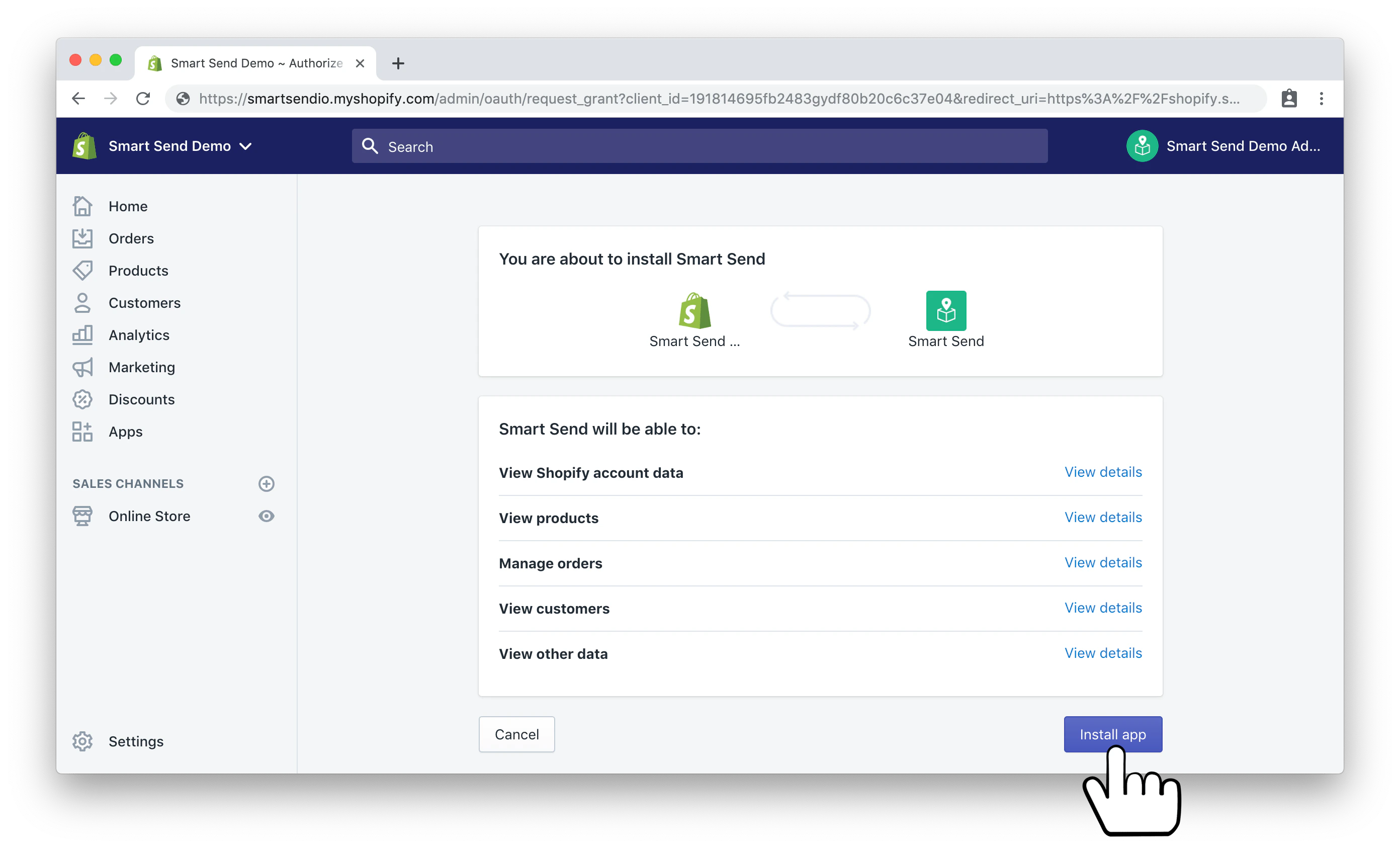
  <Step title="Installer appen">
    Gennemgå appens tilladelser, og klik på **Install app** for at fuldføre installationen.

    <img src="https://mintcdn.com/smartsend/hLcvB1FxJcAYyyTe/images/shopify/Smart-Send-Shopify-install-003-install-app.png?fit=max&auto=format&n=hLcvB1FxJcAYyyTe&q=85&s=330e480ccea1ec8f52a0ffa2d0440194" alt="Bekræftelse af installation af Smart Send-appen" width="2784" height="1686" data-path="images/shopify/Smart-Send-Shopify-install-003-install-app.png" />
  </Step>
</Steps>

## Næste trin

Når appen er installeret, skal du:

1. [Forbind til din Smart Send-konto](/integrations/shopify/connection)
2. [Konfigurer dine forsendelsesmetoder](/integrations/shopify/shipping-methods)

Appen er nu installeret, men endnu ikke konfigureret. Fortsæt med opsætningen af forbindelsen for at koble din Shopify-butik til din Smart Send-konto.