> ## Documentation Index
> Fetch the complete documentation index at: https://docs.smartsend.io/llms.txt
> Use this file to discover all available pages before exploring further.
# Installation
> Installer Smart Send-pluginet fra WordPress.org
Installer Smart Send-pluginet via WordPress' plugin-bibliotek for at komme i gang med automatiseret forsendelse og afhentningssteder.
## Installer fra WordPress.org
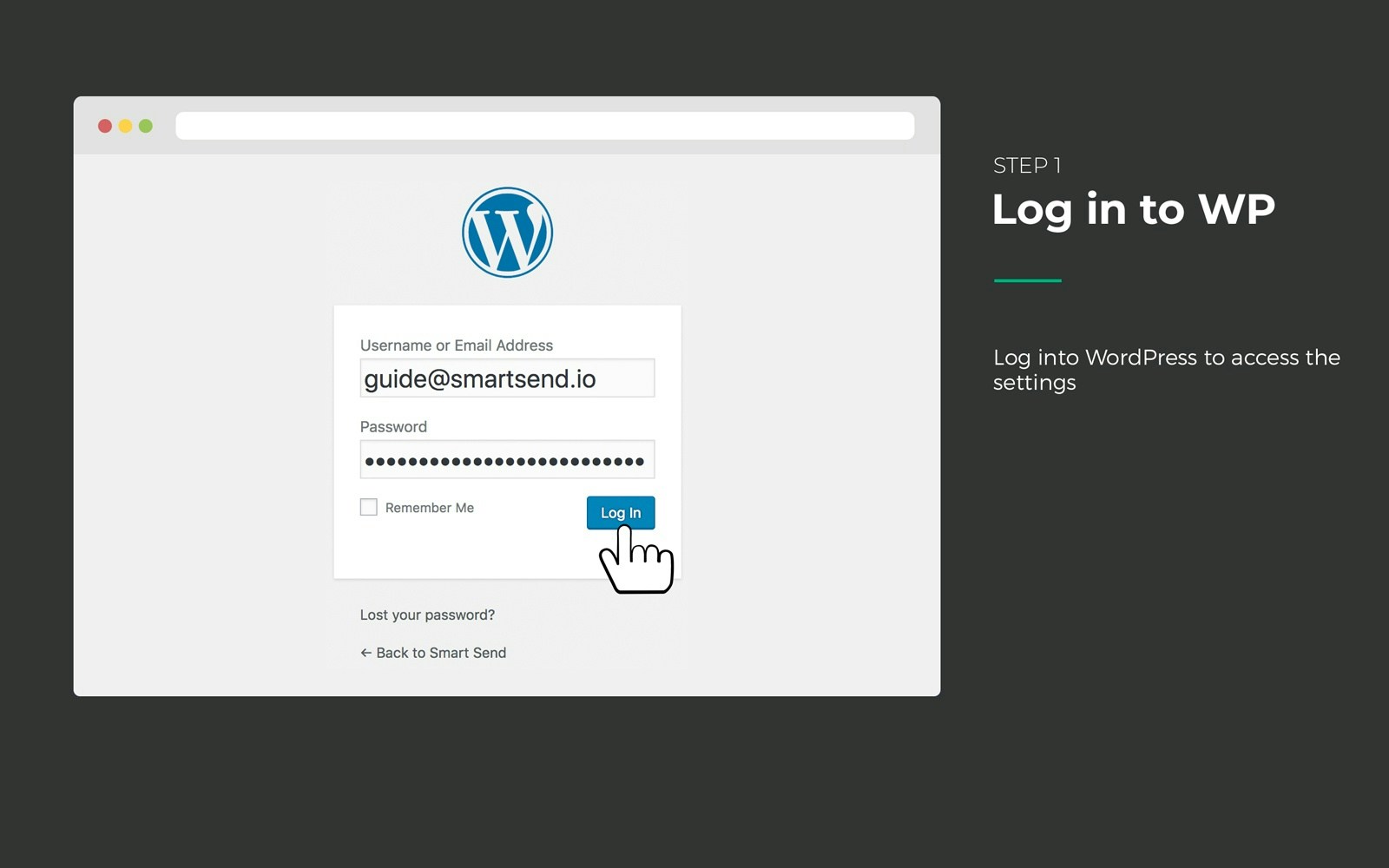
1. **Log ind på din WordPress-administration**
Tilgå dit WordPress-administrationspanel med dine administratoroplysninger.
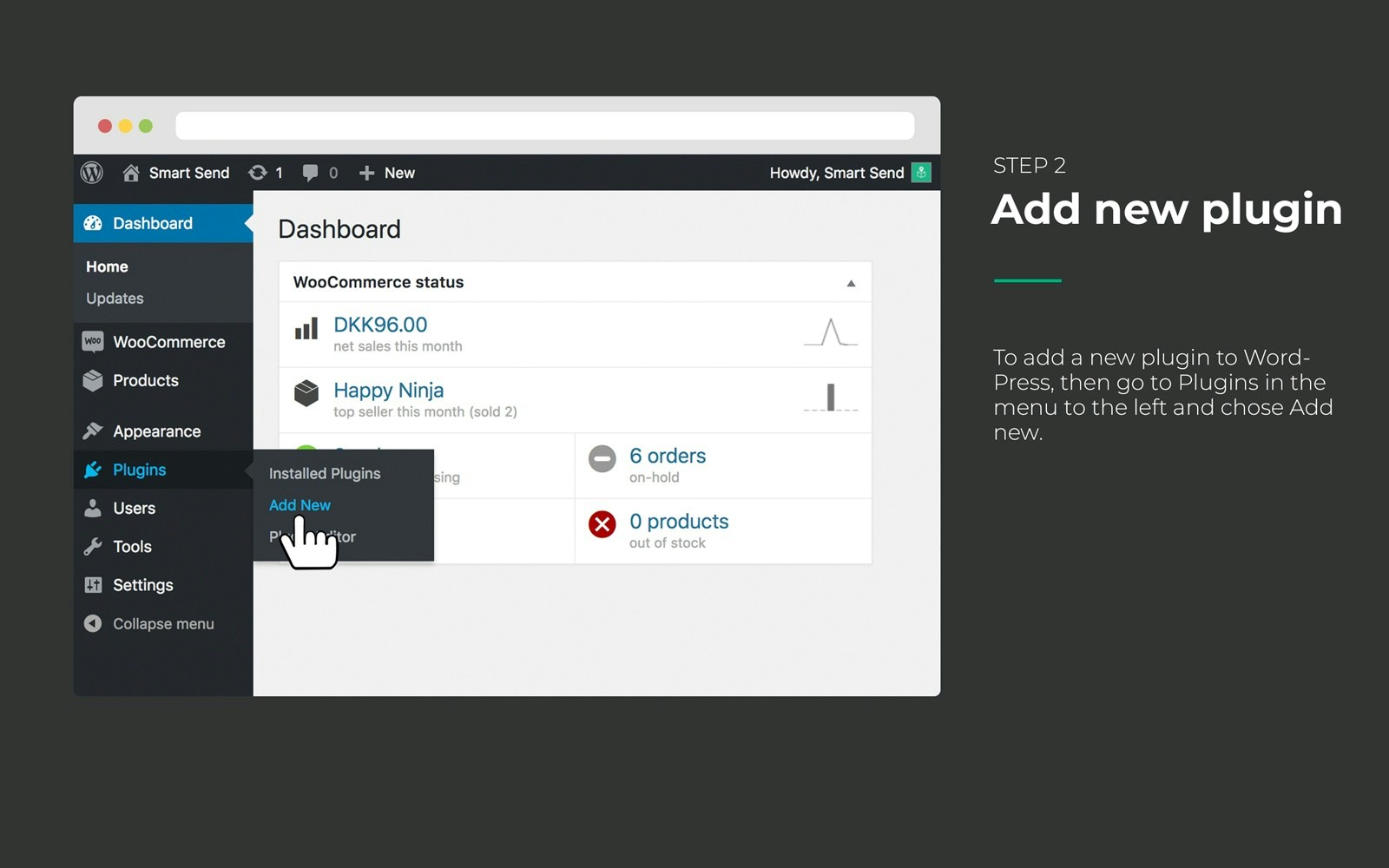
2. **Gå til Plugins**
Gå til **Plugins** i venstre sidemenu, og klik på **Add New**.
3. **Søg efter Smart Send**
Søg efter "Smart Send Logistics" i søgefeltet, eller brug det direkte link: Smart Send WooCommerce-plugin .
4. **Installer pluginet**
Klik på **Install Now** ud for Smart Send Logistics-pluginet.
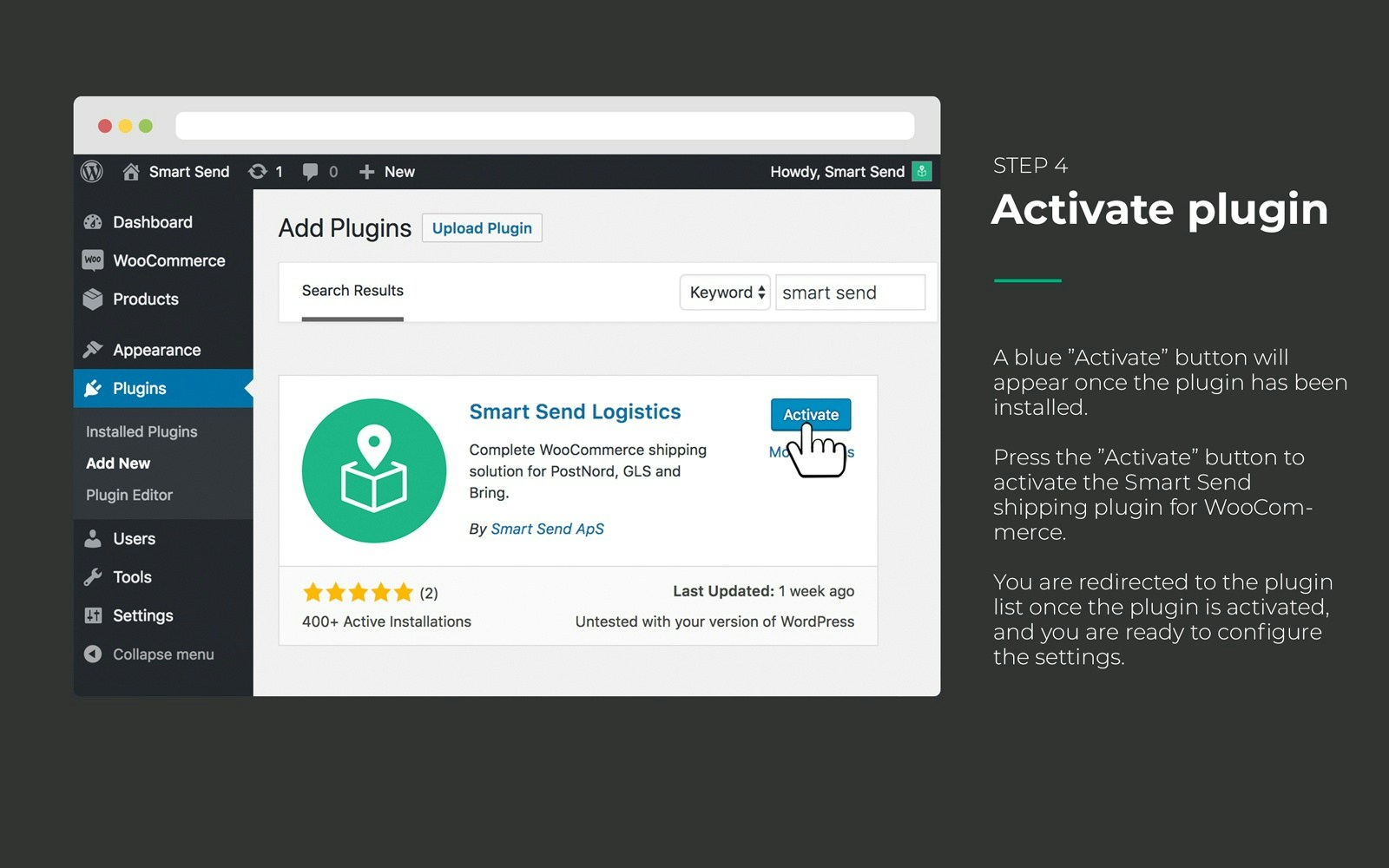
5. **Aktivér pluginet**
Klik på **Activate** efter installationen for at aktivere pluginet.
## Verificer installationen
Når pluginet er aktiveret, bør du se:
* **Smart Send** vises i din WooCommerce-menu
* **Ingen fejlmeddelelser** i WordPress-administrationen
* **Pluginet er anført** som aktivt på Plugins-siden
## Næste trin
Efter en vellykket installation:
1. [Forbind til din Smart Send-konto](/integrations/woocommerce/connection)
2. [Konfigurer dine forsendelsesmetoder](/integrations/woocommerce/shipping-methods)
Pluginet er nu installeret og klar til konfiguration. Fortsæt med forbindelsesopsætningen for at knytte din WooCommerce-butik til din Smart Send-konto.
 2. **Gå til Plugins**
Gå til **Plugins** i venstre sidemenu, og klik på **Add New**.
2. **Gå til Plugins**
Gå til **Plugins** i venstre sidemenu, og klik på **Add New**.
 3. **Søg efter Smart Send**
Søg efter "Smart Send Logistics" i søgefeltet, eller brug det direkte link: Smart Send WooCommerce-plugin
3. **Søg efter Smart Send**
Søg efter "Smart Send Logistics" i søgefeltet, eller brug det direkte link: Smart Send WooCommerce-plugin 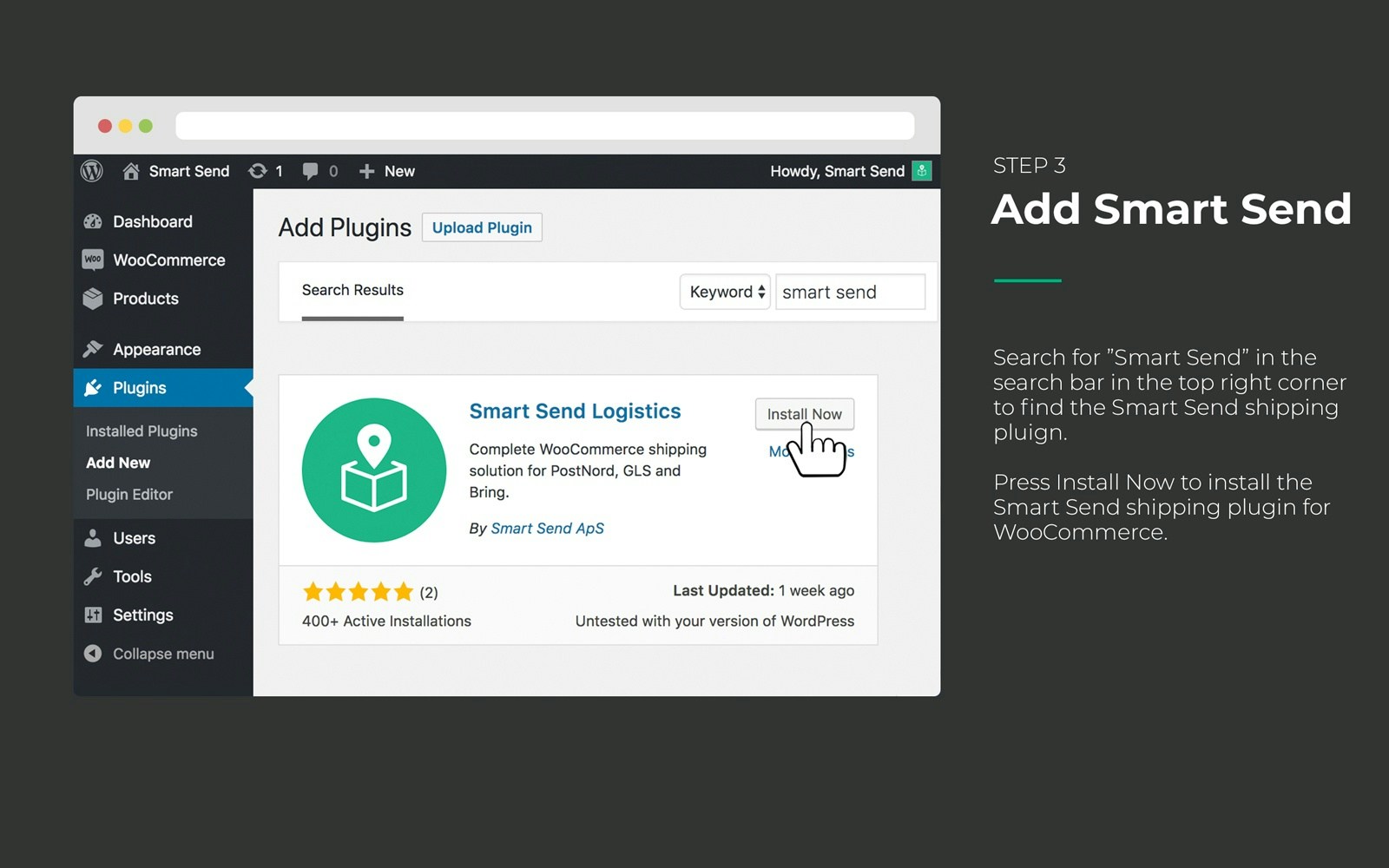 5. **Aktivér pluginet**
Klik på **Activate** efter installationen for at aktivere pluginet.
5. **Aktivér pluginet**
Klik på **Activate** efter installationen for at aktivere pluginet.
 ## Verificer installationen
Når pluginet er aktiveret, bør du se:
* **Smart Send** vises i din WooCommerce-menu
* **Ingen fejlmeddelelser** i WordPress-administrationen
* **Pluginet er anført** som aktivt på Plugins-siden
## Næste trin
Efter en vellykket installation:
1. [Forbind til din Smart Send-konto](/integrations/woocommerce/connection)
2. [Konfigurer dine forsendelsesmetoder](/integrations/woocommerce/shipping-methods)
Pluginet er nu installeret og klar til konfiguration. Fortsæt med forbindelsesopsætningen for at knytte din WooCommerce-butik til din Smart Send-konto.
## Verificer installationen
Når pluginet er aktiveret, bør du se:
* **Smart Send** vises i din WooCommerce-menu
* **Ingen fejlmeddelelser** i WordPress-administrationen
* **Pluginet er anført** som aktivt på Plugins-siden
## Næste trin
Efter en vellykket installation:
1. [Forbind til din Smart Send-konto](/integrations/woocommerce/connection)
2. [Konfigurer dine forsendelsesmetoder](/integrations/woocommerce/shipping-methods)
Pluginet er nu installeret og klar til konfiguration. Fortsæt med forbindelsesopsætningen for at knytte din WooCommerce-butik til din Smart Send-konto.