> ## Documentation Index
> Fetch the complete documentation index at: https://docs.smartsend.io/llms.txt
> Use this file to discover all available pages before exploring further.

# Webhooks

> Receive real-time notifications when events occur in Smart Send

Webhooks allow you to receive real-time HTTP POST notifications at your own endpoint when events occur in Smart Send. This is useful for building custom integrations, updating external systems, or triggering automated workflows.

## Create a webhook

To set up a new webhook, start by logging into the <Link href="https://app.smartsend.io">Smart Send platform</Link> <Icon icon="arrow-up-right" size={12} />.

<Steps>
  <Step title="Navigate to Webhooks">
    Go to **Settings** → **<Link href="https://app.smartsend.io/team/settings/webhooks">Webhooks</Link>**
  </Step>

  <Step title="Add a webhook">
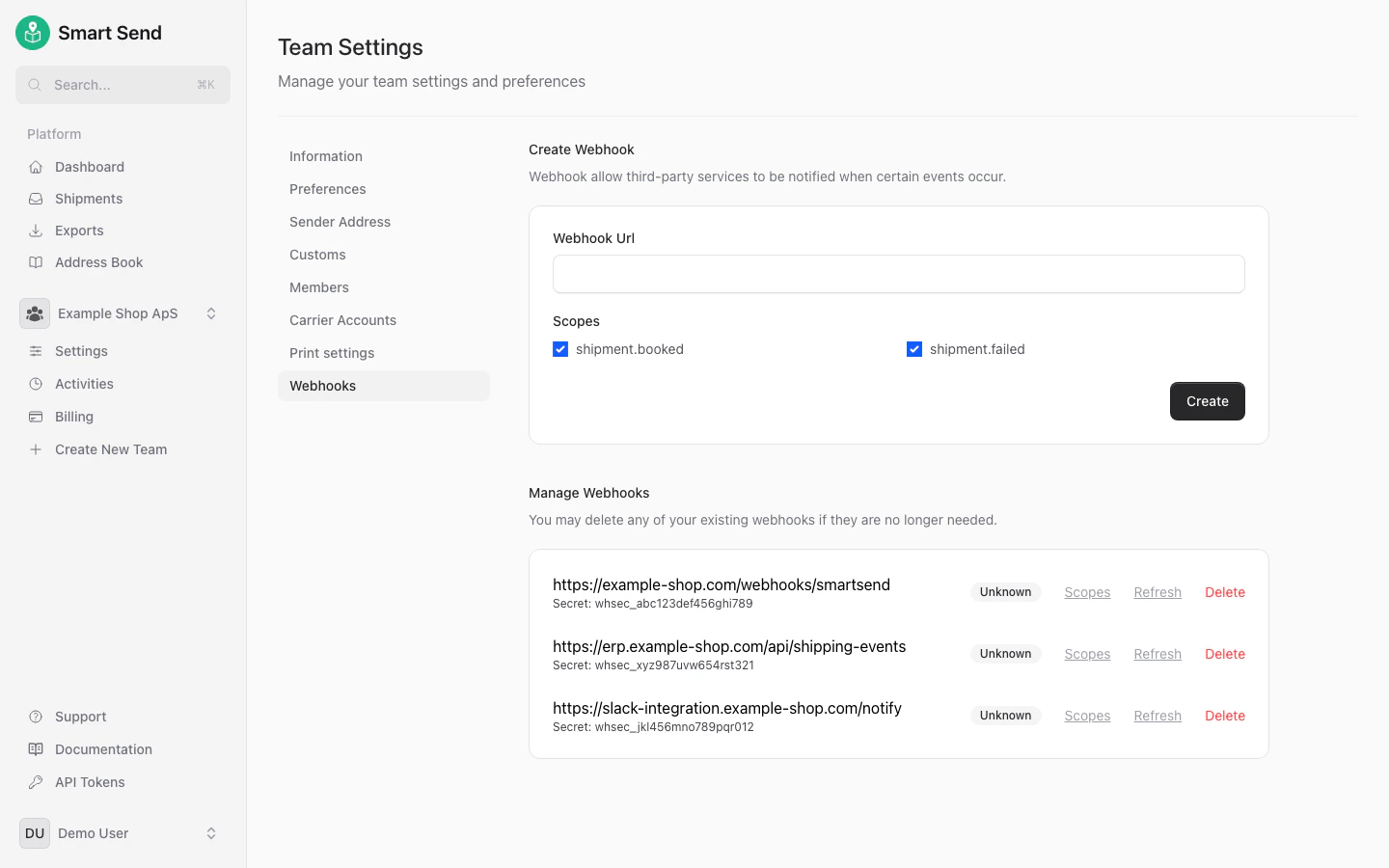
    Enter the **URL** of your endpoint and select the **events** you want to receive notifications for

    <img src="https://mintcdn.com/smartsend/phJQ_hfyNqEhUAQt/images/webhooks/create-webhook-filled.png?fit=max&auto=format&n=phJQ_hfyNqEhUAQt&q=85&s=07eb4a0eb7b376cf3ee4f49c20ea28f6" alt="Webhook creation form with URL and events configured" className="rounded-lg" width="1440" height="900" data-path="images/webhooks/create-webhook-filled.png" />
  </Step>

  <Step title="Save the webhook">
    Click **Create** to save the webhook
  </Step>
</Steps>

## Delete a webhook

To remove a webhook, start by logging into the <Link href="https://app.smartsend.io">Smart Send platform</Link> <Icon icon="arrow-up-right" size={12} />.

<Steps>
  <Step title="Navigate to Webhooks">
    Go to **Settings** → **<Link href="https://app.smartsend.io/team/settings/webhooks">Webhooks</Link>**
  </Step>

  <Step title="Delete webhook">
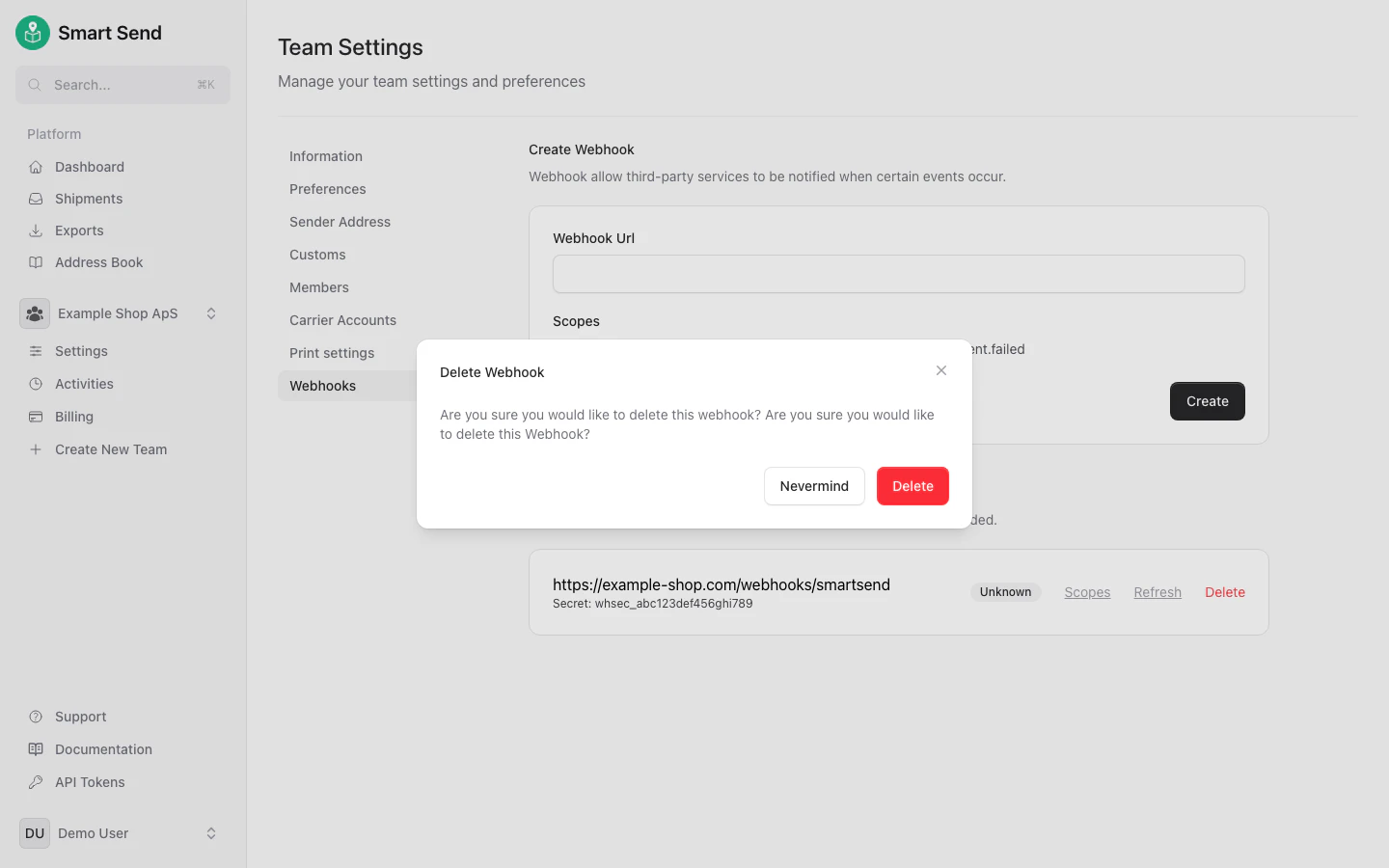
    Find the webhook you want to remove and click **Delete** next to it.

    <img src="https://mintcdn.com/smartsend/phJQ_hfyNqEhUAQt/images/webhooks/delete-webhook-list.png?fit=max&auto=format&n=phJQ_hfyNqEhUAQt&q=85&s=d354bf6673c82914fccf68ddc541b552" alt="Webhook list showing configured webhooks" className="rounded-lg" width="1440" height="900" data-path="images/webhooks/delete-webhook-list.png" />
  </Step>

  <Step title="Confirm deletion">
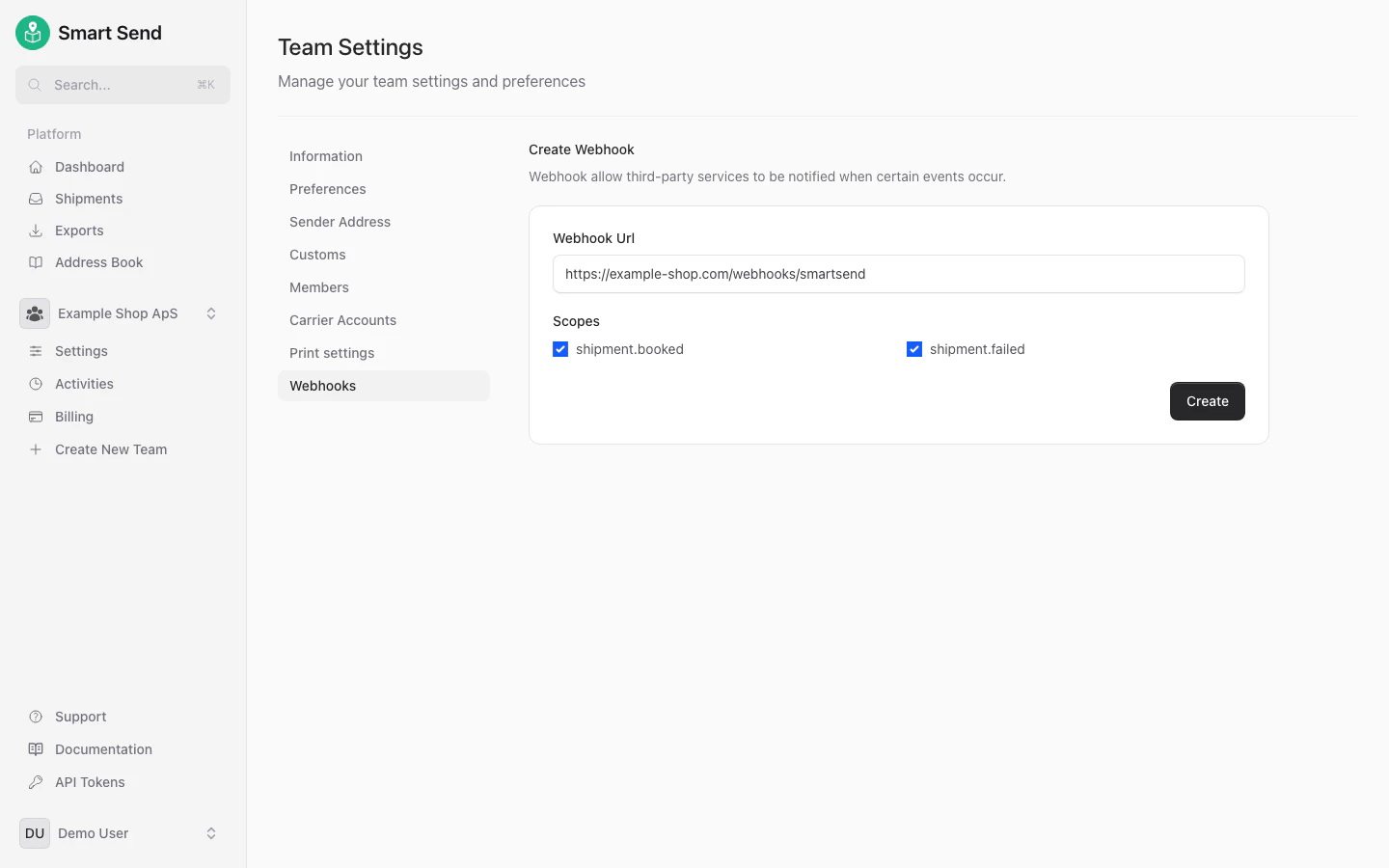
    Confirm delition by clicking **Delete** in the confirmation modal

    <img src="https://mintcdn.com/smartsend/phJQ_hfyNqEhUAQt/images/webhooks/delete-webhook-confirmation.png?fit=max&auto=format&n=phJQ_hfyNqEhUAQt&q=85&s=ae4ef811c9b152552516543fa7a1b548" alt="Confirmation dialog for deleting a webhook" className="rounded-lg" width="1440" height="900" data-path="images/webhooks/delete-webhook-confirmation.png" />
  </Step>
</Steps>

<Warning>
  Deleting a webhook stops all notifications to that endpoint. Any external systems relying on the webhook will no longer receive updates.
</Warning>