> ## Documentation Index
> Fetch the complete documentation index at: https://docs.smartsend.io/llms.txt
> Use this file to discover all available pages before exploring further.
# Shipping methods
> Configure Smart Send shipping methods in WooCommerce
Configure Smart Send shipping methods to link your WooCommerce shipping zones with specific carrier services. This ensures the correct shipping method is used when creating labels for orders.
Make sure you have completed the [connection setup](/integrations/woocommerce/connection) before configuring shipping methods.
## Access shipping methods
To set up a shipping method:
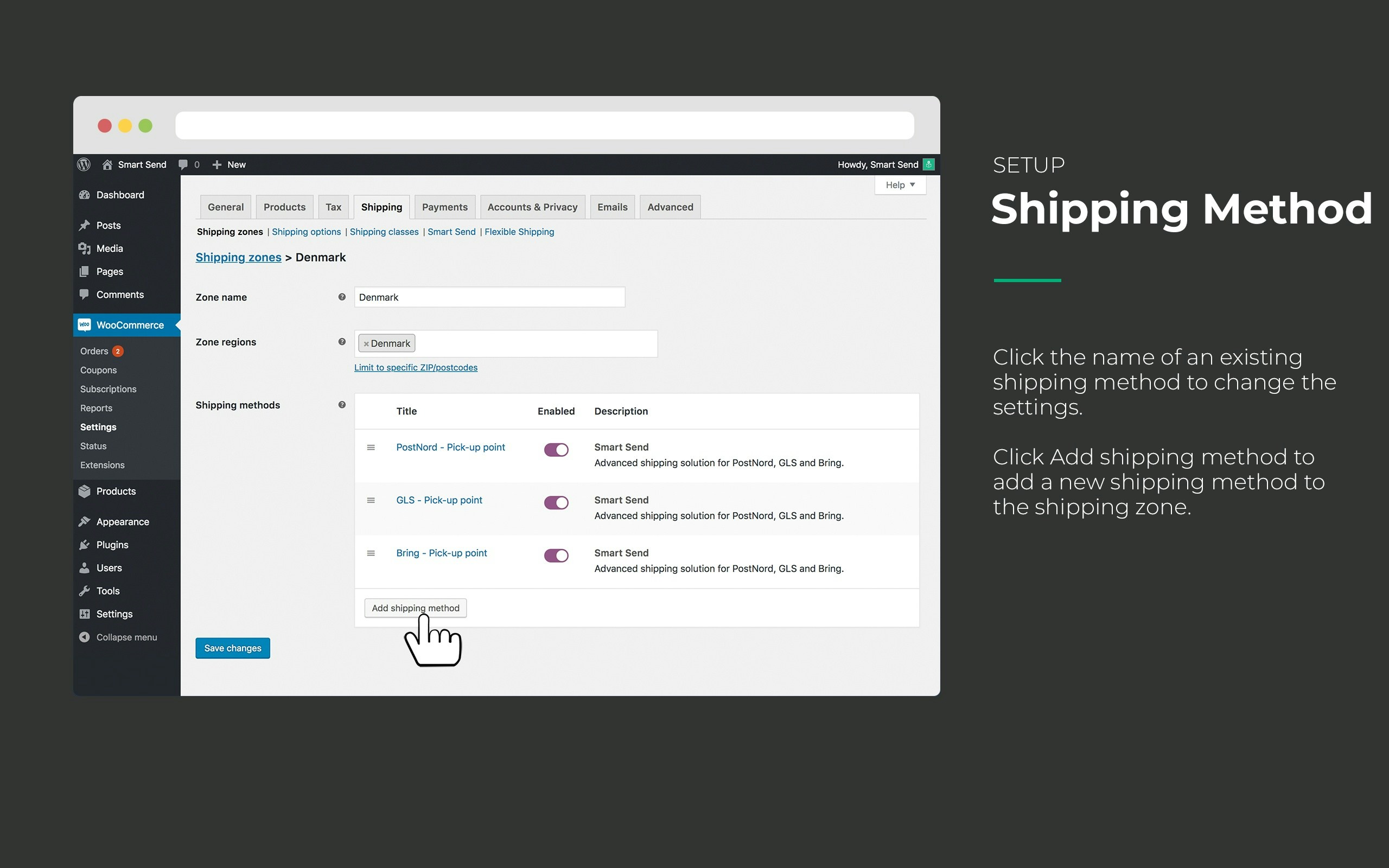
1. **Go to WooCommerce** > **Shipping**
2. **Edit the shipping zone** where you want to add a shipping method
3. **Add a new shipping method** and select "Smart Send"
 ## Pickup points configuration
You have two options for pickup point delivery:
### Select pickup point
Customers can choose their preferred pickup location during checkout.
### Closest pickup point
The pickup point is automatically chosen by the carrier when booking the label.
### Example: PostNord pickup points
## Pickup points configuration
You have two options for pickup point delivery:
### Select pickup point
Customers can choose their preferred pickup location during checkout.
### Closest pickup point
The pickup point is automatically chosen by the carrier when booking the label.
### Example: PostNord pickup points
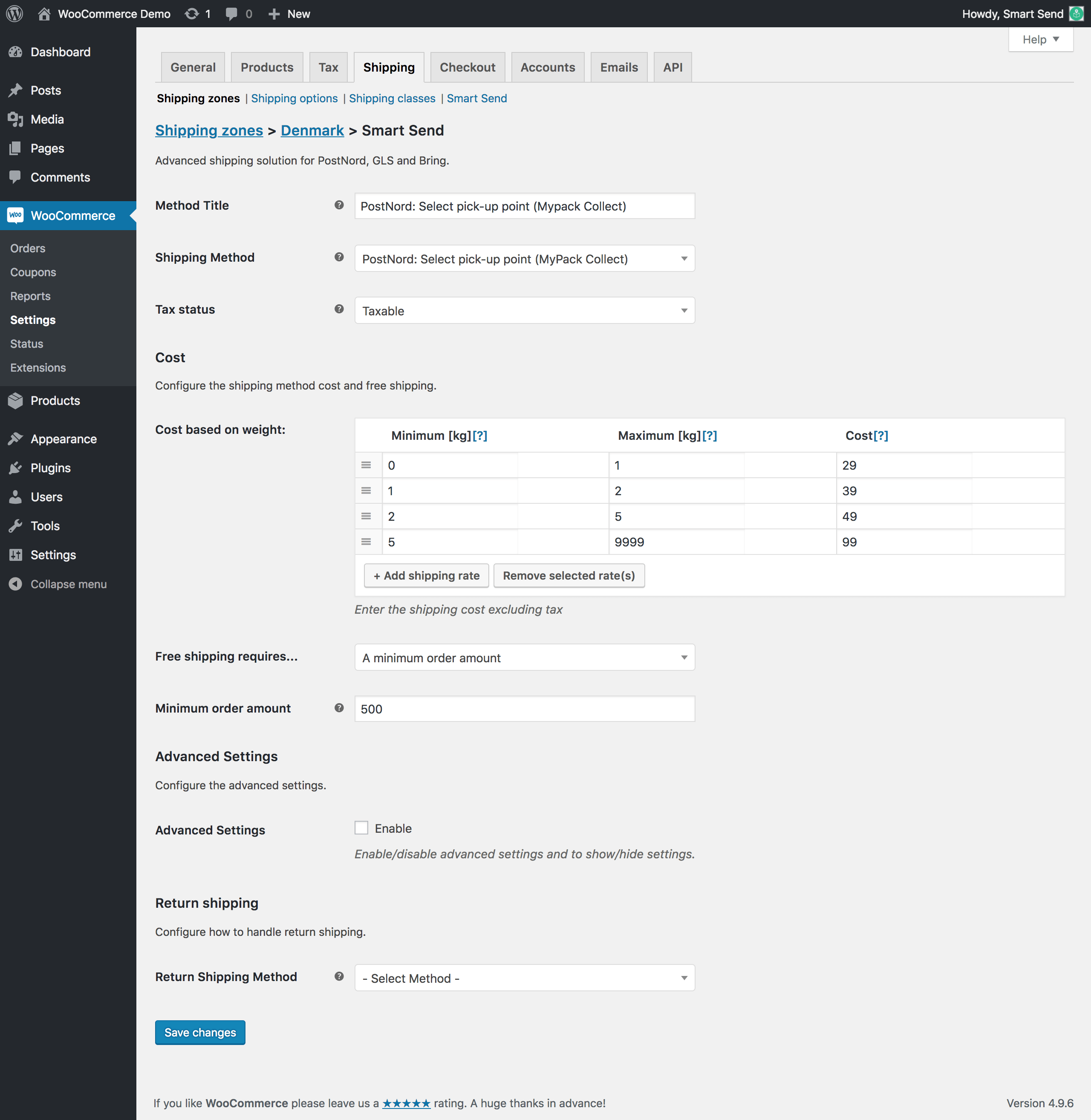 This example shows:
* **Select pickup point** enabled with PostNord
* **Weight-based pricing** - shipping cost increases with total weight
* **Free shipping** for orders above 500
## Home delivery configuration
For delivery to customer addresses, configure the shipping method as "Home Delivery".
### Example: PostNord home delivery
This example shows:
* **Select pickup point** enabled with PostNord
* **Weight-based pricing** - shipping cost increases with total weight
* **Free shipping** for orders above 500
## Home delivery configuration
For delivery to customer addresses, configure the shipping method as "Home Delivery".
### Example: PostNord home delivery
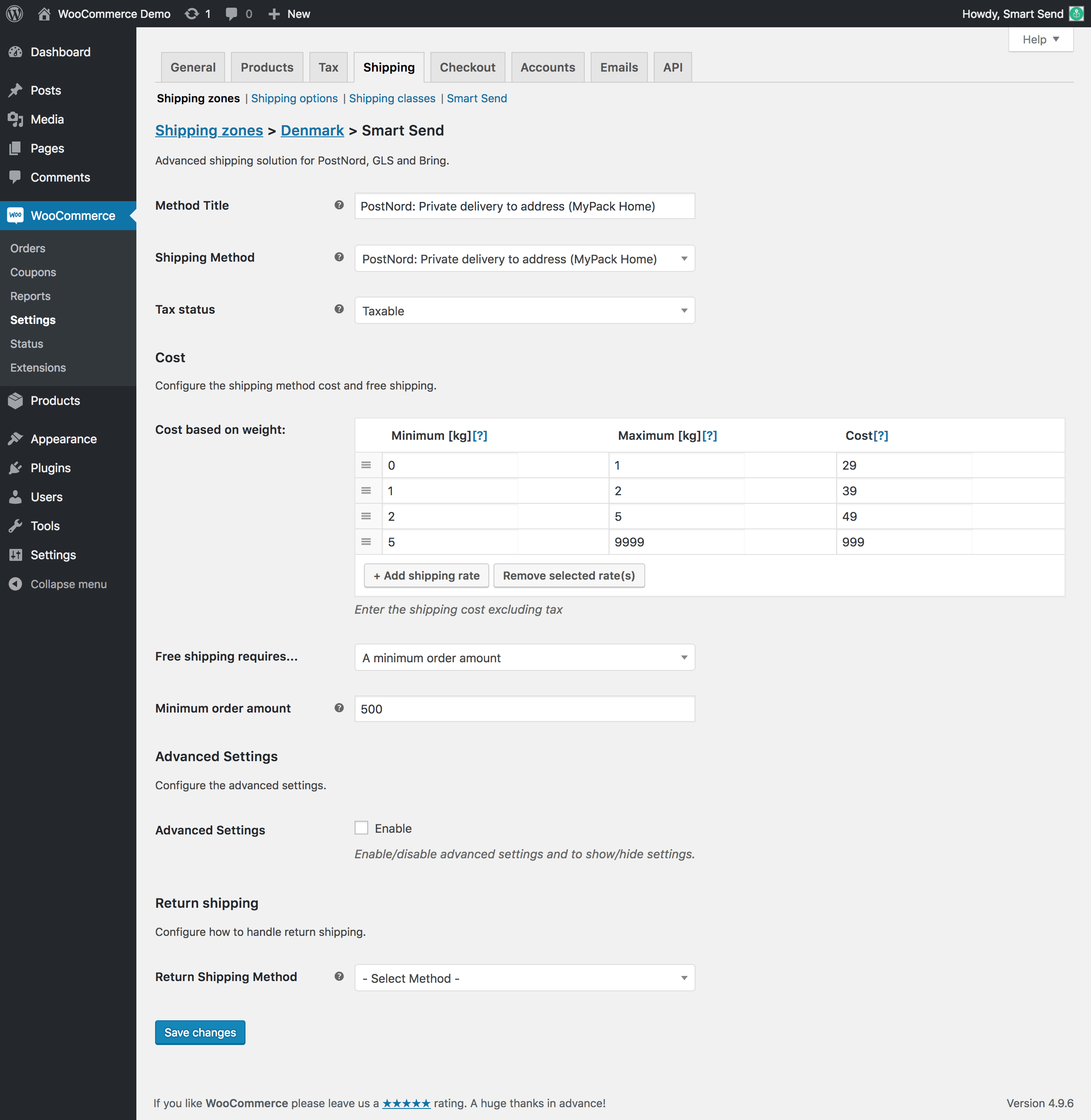 This example shows:
* **Home delivery** with PostNord
* **Weight-based pricing** - shipping cost increases with total weight
* **Free shipping** for orders above 500
## Free shipping and reduced rates
Set up free shipping or reduced rates using the **Flat rate** option:
### Free shipping setup
This example shows:
* **Home delivery** with PostNord
* **Weight-based pricing** - shipping cost increases with total weight
* **Free shipping** for orders above 500
## Free shipping and reduced rates
Set up free shipping or reduced rates using the **Flat rate** option:
### Free shipping setup
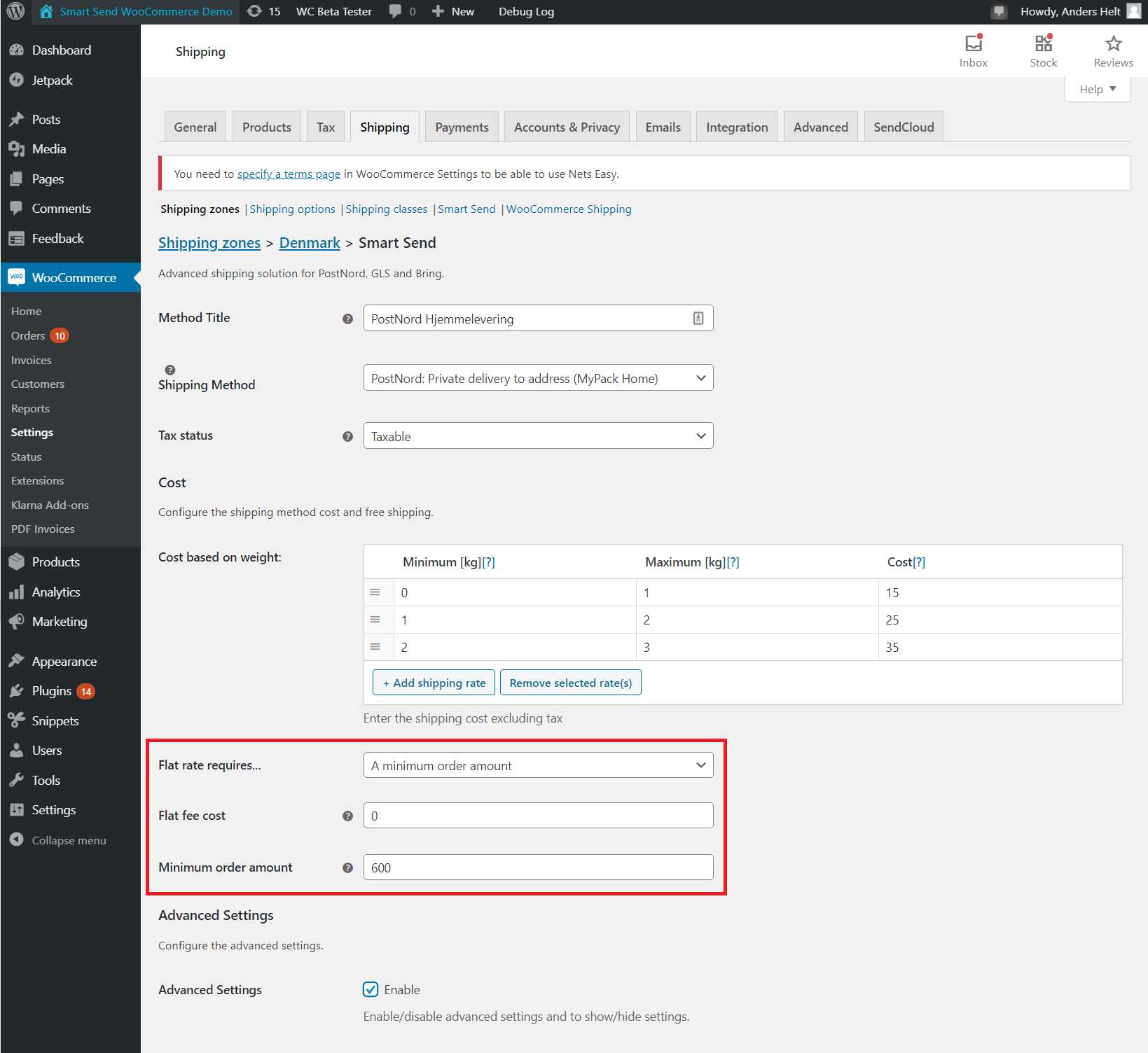 * **Flat rate cost**: Set to `0` for free shipping
* **Minimum order amount**: Set the threshold for free shipping
* **Reduced rates**: Set a value higher than `0` for discounted shipping
## Advanced shipping cost calculation
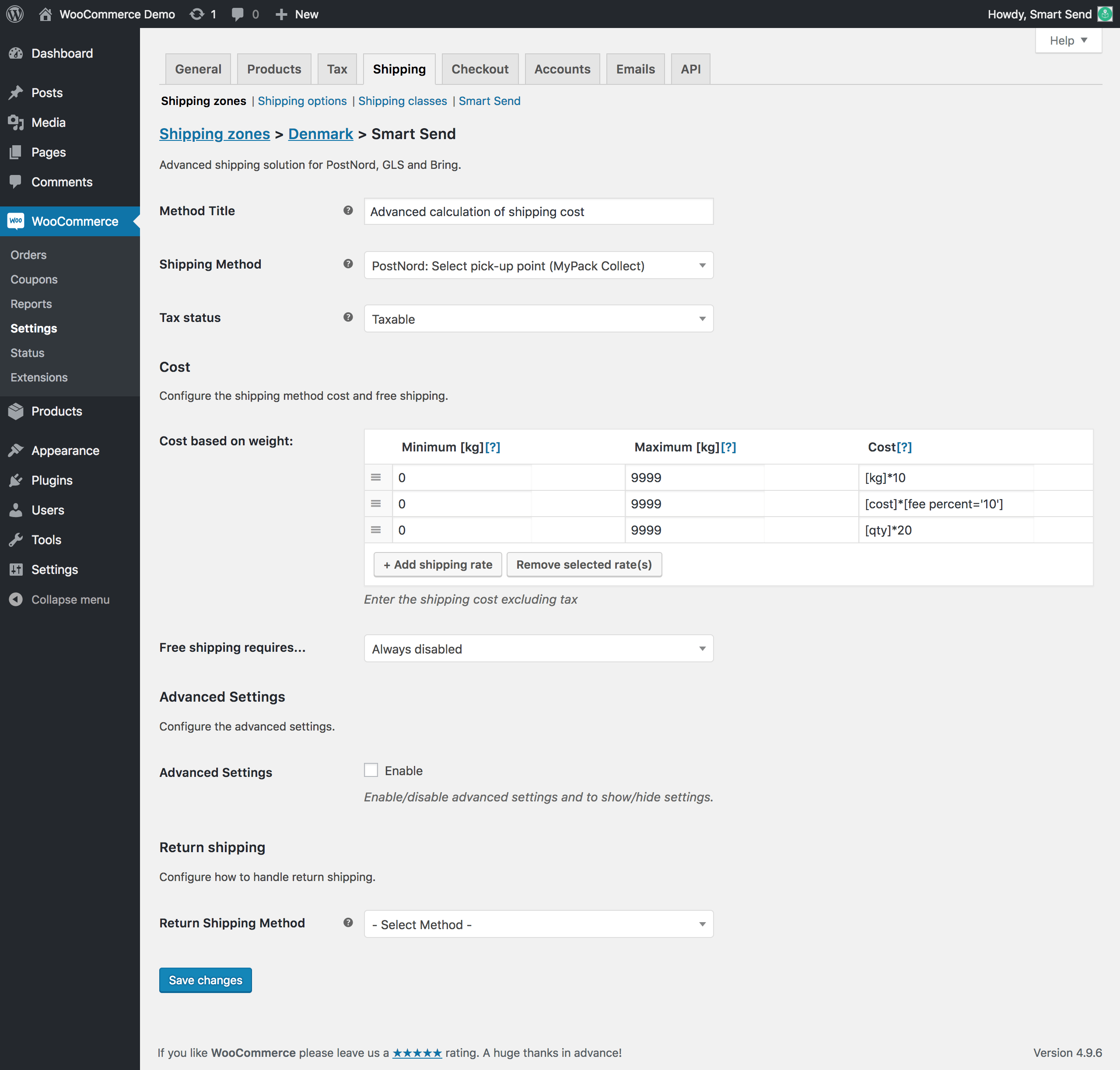
Use WooCommerce's standard calculation formulas in the cost field:
* **Flat rate cost**: Set to `0` for free shipping
* **Minimum order amount**: Set the threshold for free shipping
* **Reduced rates**: Set a value higher than `0` for discounted shipping
## Advanced shipping cost calculation
Use WooCommerce's standard calculation formulas in the cost field:
 ### Available calculations
* **Cost per weight**: `[kg]*10` - 10 units per kilogram
* **Percentage of cart value**: `[cost]*[fee percent='10']` - 10% of cart value
* **Cost per unit**: `[qty]*20` - 20 units per item quantity
## Shipping class configuration
Control which products can use specific shipping methods based on shipping classes.
### Include specific shipping classes
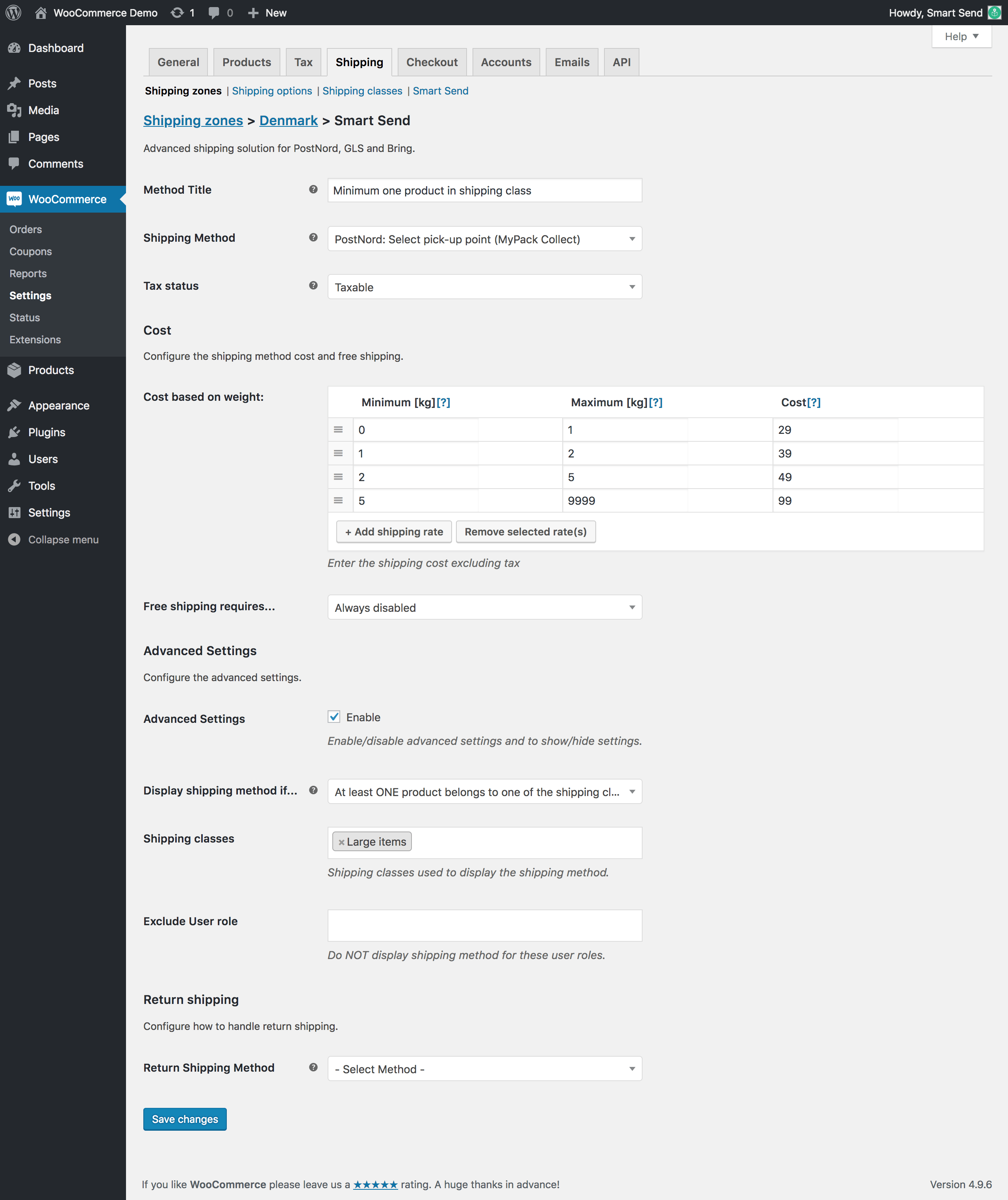
Use "At least one product belongs to shipping class" to show shipping methods only when certain products are in the cart.
**Example**: Bicycle shop with bicycles and pumps
* **Bicycle shipping method**: Only show for orders containing bicycles
* **Regular shipping method**: Only show for orders without bicycles
### Available calculations
* **Cost per weight**: `[kg]*10` - 10 units per kilogram
* **Percentage of cart value**: `[cost]*[fee percent='10']` - 10% of cart value
* **Cost per unit**: `[qty]*20` - 20 units per item quantity
## Shipping class configuration
Control which products can use specific shipping methods based on shipping classes.
### Include specific shipping classes
Use "At least one product belongs to shipping class" to show shipping methods only when certain products are in the cart.
**Example**: Bicycle shop with bicycles and pumps
* **Bicycle shipping method**: Only show for orders containing bicycles
* **Regular shipping method**: Only show for orders without bicycles
 ### Exclude specific shipping classes
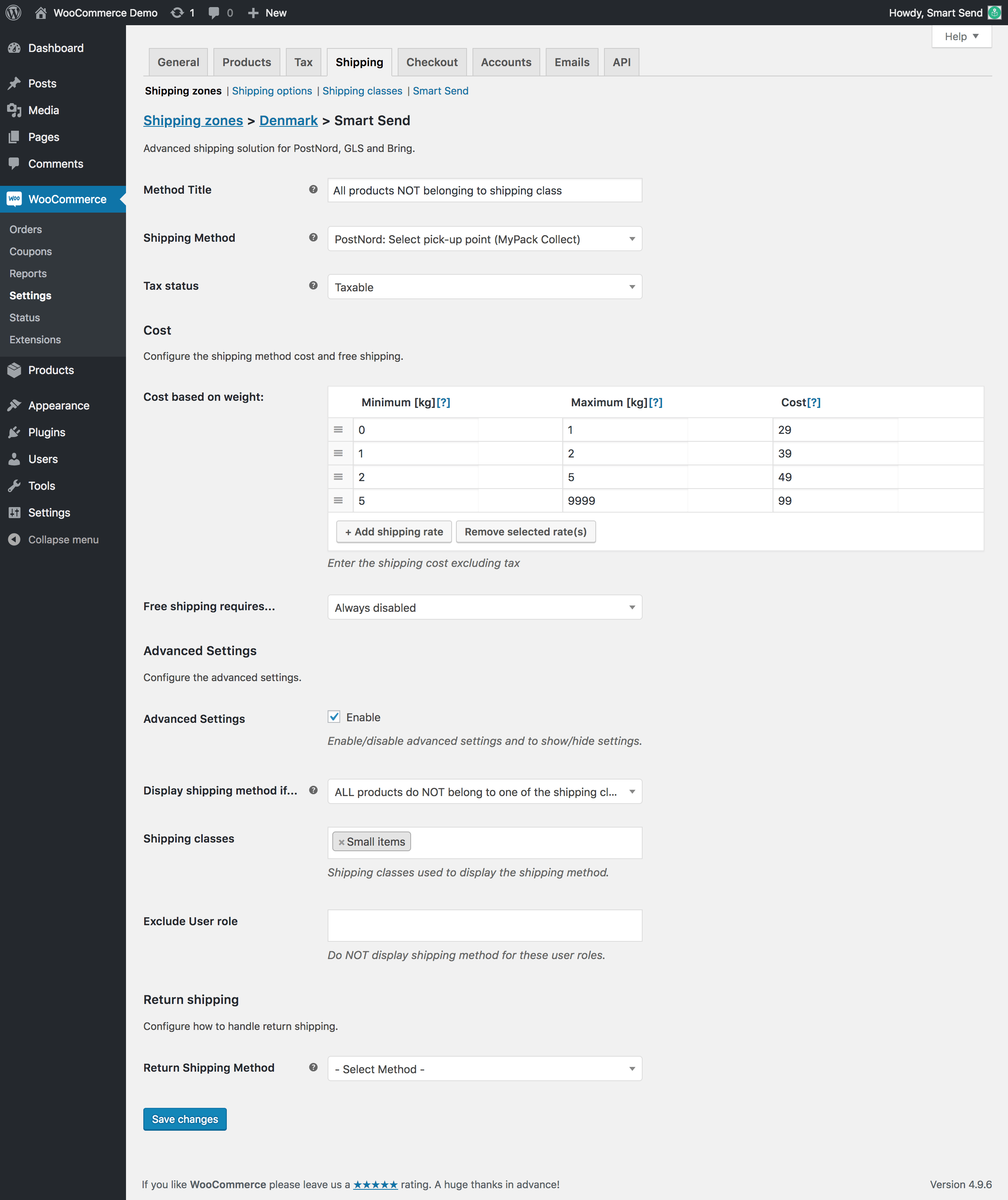
Use "All products belong to the shipping class" to hide shipping methods for certain product types.
### Exclude specific shipping classes
Use "All products belong to the shipping class" to hide shipping methods for certain product types.
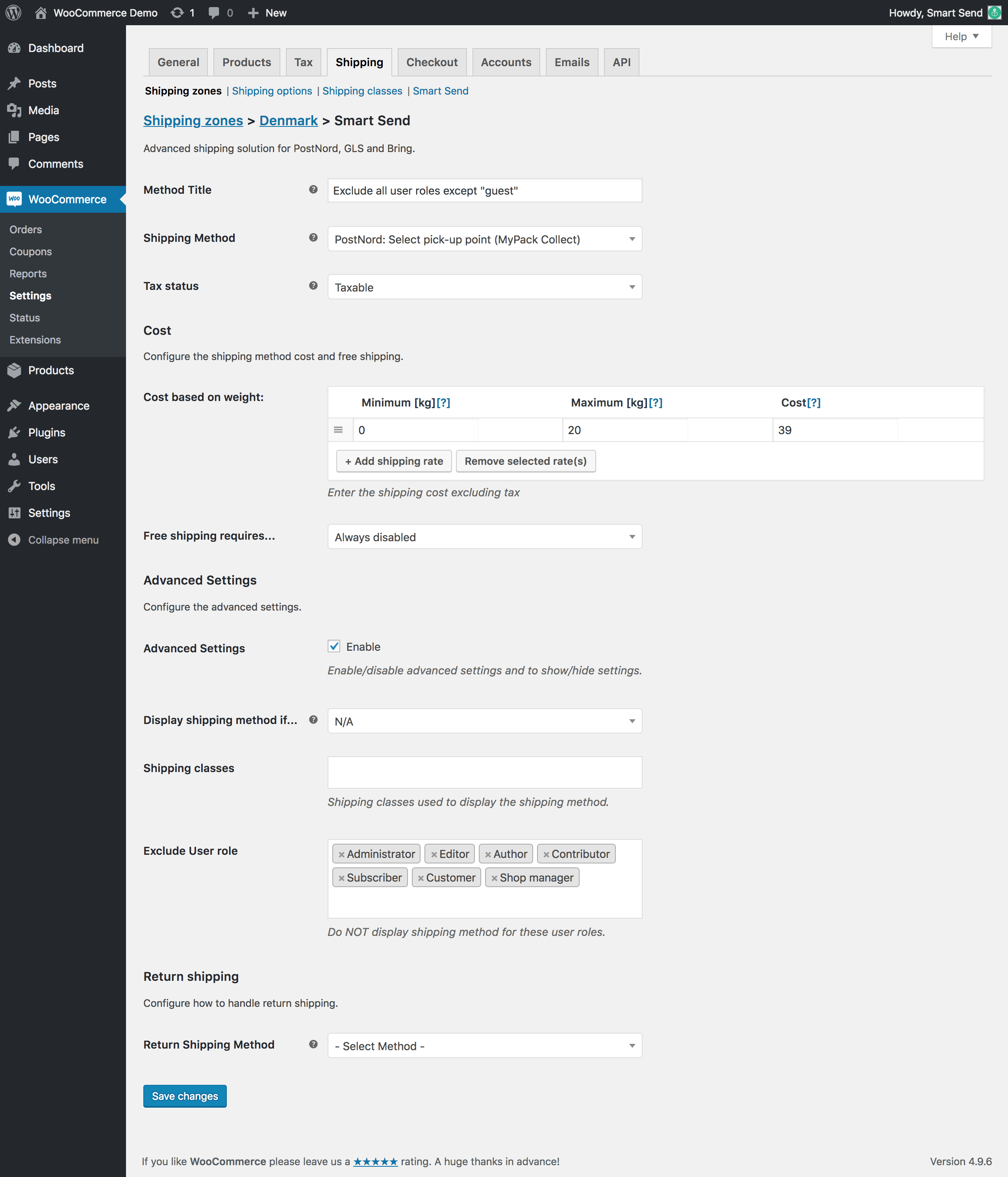
 ## User role restrictions
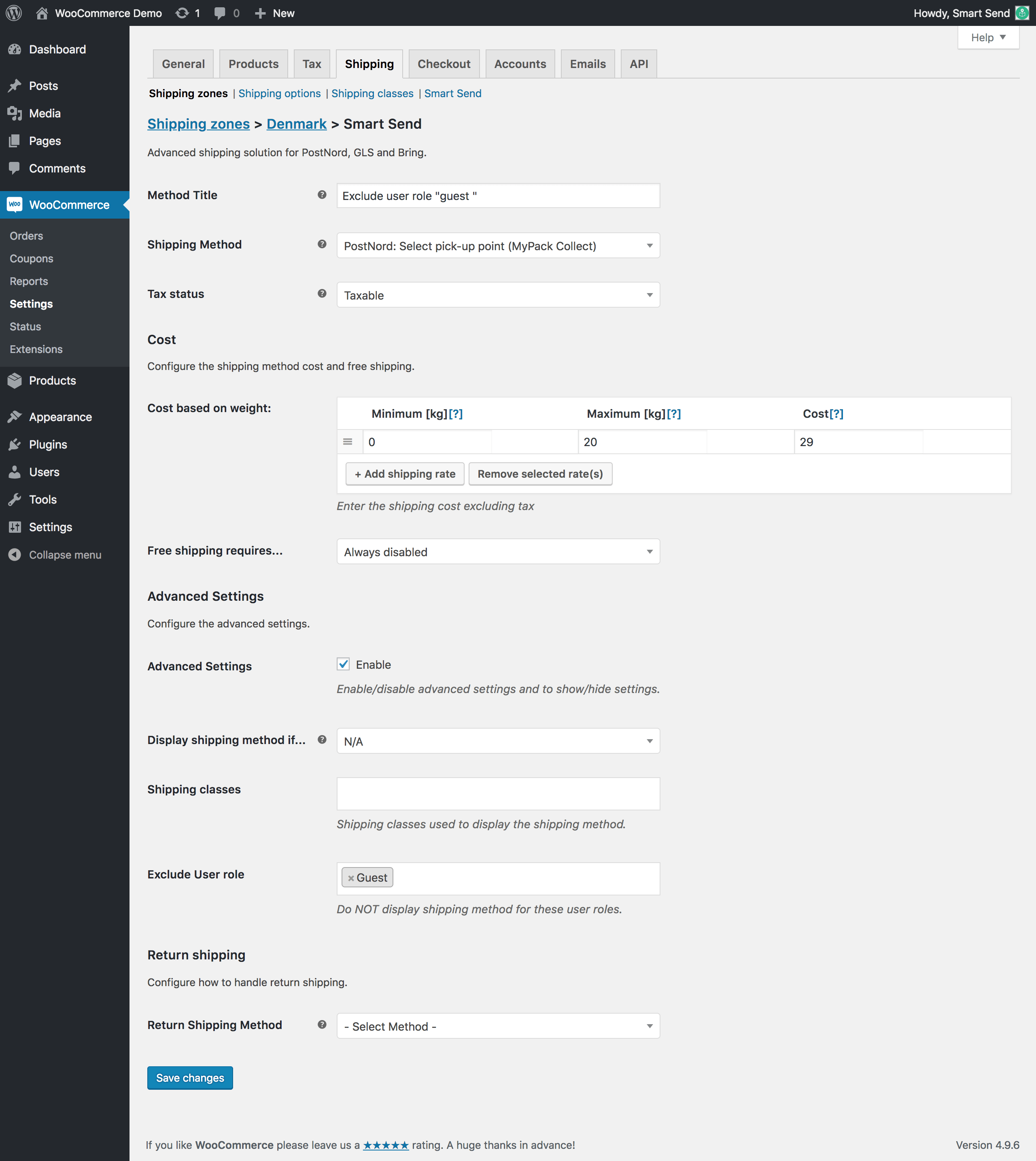
Restrict shipping methods to specific customer groups, useful for B2B/B2C differentiation or customer discounts.
### Exclude specific user roles
## User role restrictions
Restrict shipping methods to specific customer groups, useful for B2B/B2C differentiation or customer discounts.
### Exclude specific user roles
 ### Exclude all except specific roles
 ## Next steps
After configuring your shipping methods:
1. [Set up pickup points](/integrations/woocommerce/pickup-points) (optional)
2. [Create your first shipping label](/integrations/woocommerce/shipping-labels)
## Next steps
After configuring your shipping methods:
1. [Set up pickup points](/integrations/woocommerce/pickup-points) (optional)
2. [Create your first shipping label](/integrations/woocommerce/shipping-labels)