

Email us
Send us an email and relevant information like screenshots are always welcome support@smartsend.io
Phone
We provide support in English and Danish by phone within normal business hours. Our opening hours are kept up-to-date at Google and in the footer of our website.Call us by phone
We speak English and Danish, so feel free to call us at +45 3027 4735
What to include when contacting support
When you reach out to us, providing as much context as possible helps us understand your issue and resolve it quickly. The more details you share, the faster we can help you get back on track. Below are some helpful types of information you can include when contacting support:Error codes
Error codes appear when something goes wrong, but our system was able to handle it properly. These codes help us identify exactly what happened and provide you with the right solution. If you see an error code, please include it in your support request. You can find more information about common error codes on our Error codes page.Trace IDs
Trace IDs are unique identifiers that appear when something unexpected happens. These IDs help our team investigate the issue in depth and identify the root cause. If you see a trace ID in an error message, please include it when contacting support.Screenshots
Screenshots are incredibly helpful for showing us exactly what you’re seeing. You can take a screenshot directly from the Smart Send platform using the screenshot button in the footer of the left side menu. This captures the current page and downloads it to your device - remember to attach it to your email when contacting our support.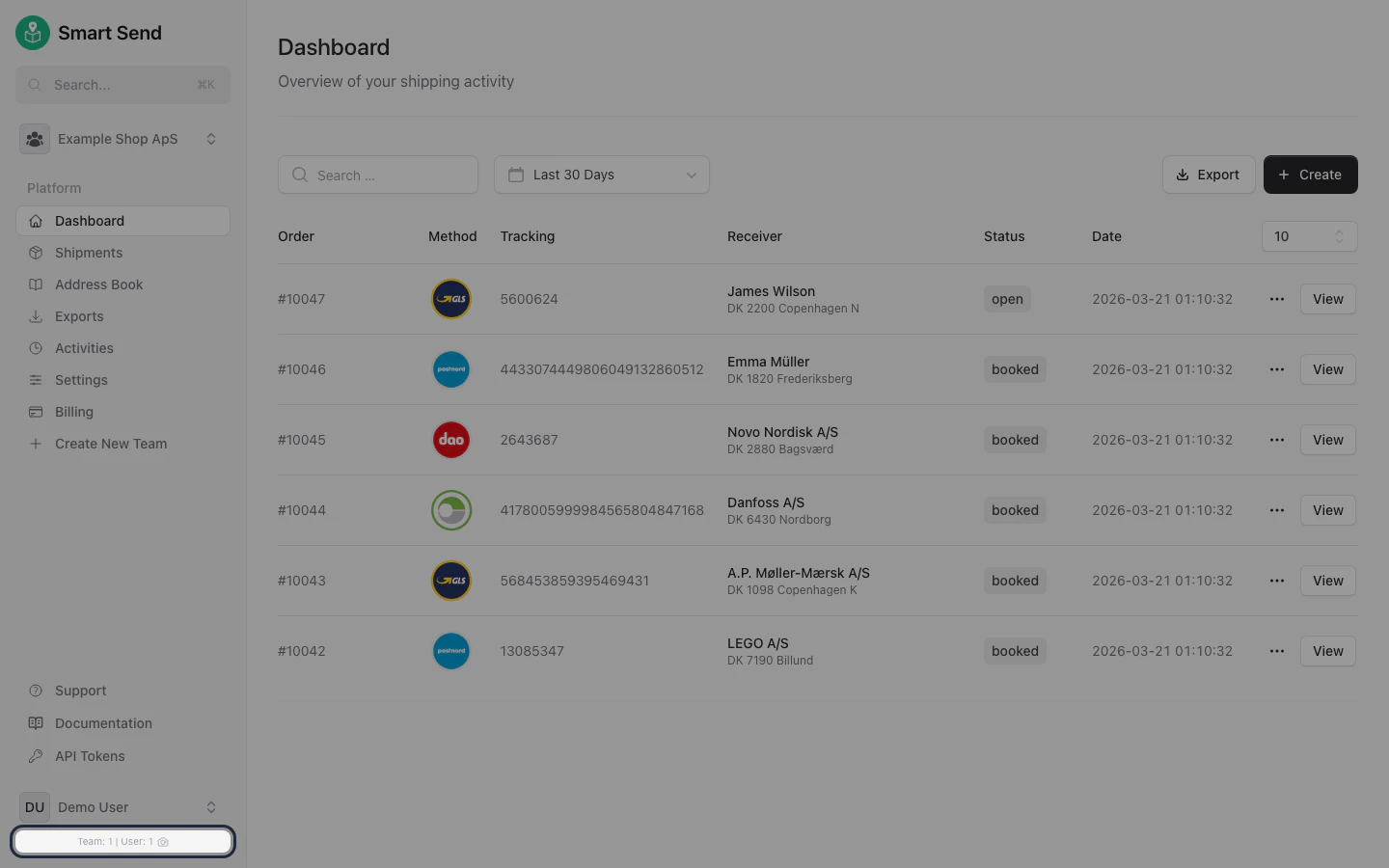
- macOS
- Windows
Capture entire screen:
- Press
⌘ (Cmd)+⇧ (Shift)+3
- Press
⌘ (Cmd)+⇧ (Shift)+4 - Click and drag to select the area you want to capture
Screen recordings
Sometimes a screen recording can show us the full context of an issue better than screenshots alone. We recommend using Google Screen Recorder, a free tool that makes it easy to record your screen and share the video with us. Simply visit the link, click “Start recording,” and capture the issue as it happens. You can then share the recording link or download the video to send to us.System information
Including relevant system information helps us understand your environment and diagnose issues more effectively. Depending on the platform you’re using, different system details may be helpful.- WooCommerce
Share The WooCommerce System Status Report to provide us with comprehensive information about your WooCommerce installation. Learn more about understanding the WooCommerce system status report .
1
Navigate to WooCommerce Status
Go to: WooCommerce > Status.
2
Get the system report
Select Get System Report and then click Download which should download the report.
3
Attach the report
Attach the downloaded report in conversations with our support.