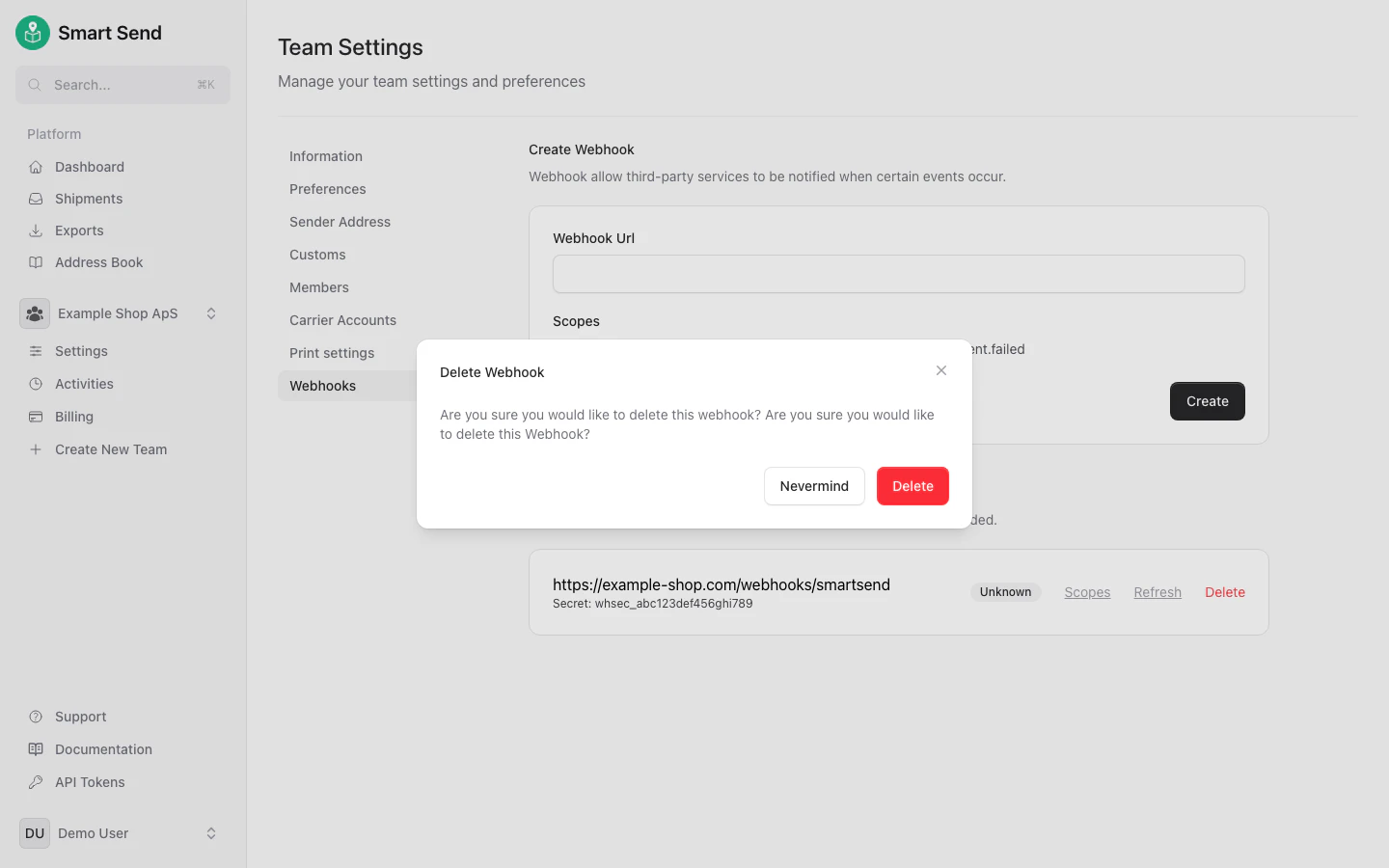
Create a webhook
To set up a new webhook, start by logging into the Smart Send platform .1
Navigate to Webhooks
Go to Settings → Webhooks
2
Add a webhook
Enter the URL of your endpoint and select the events you want to receive notifications for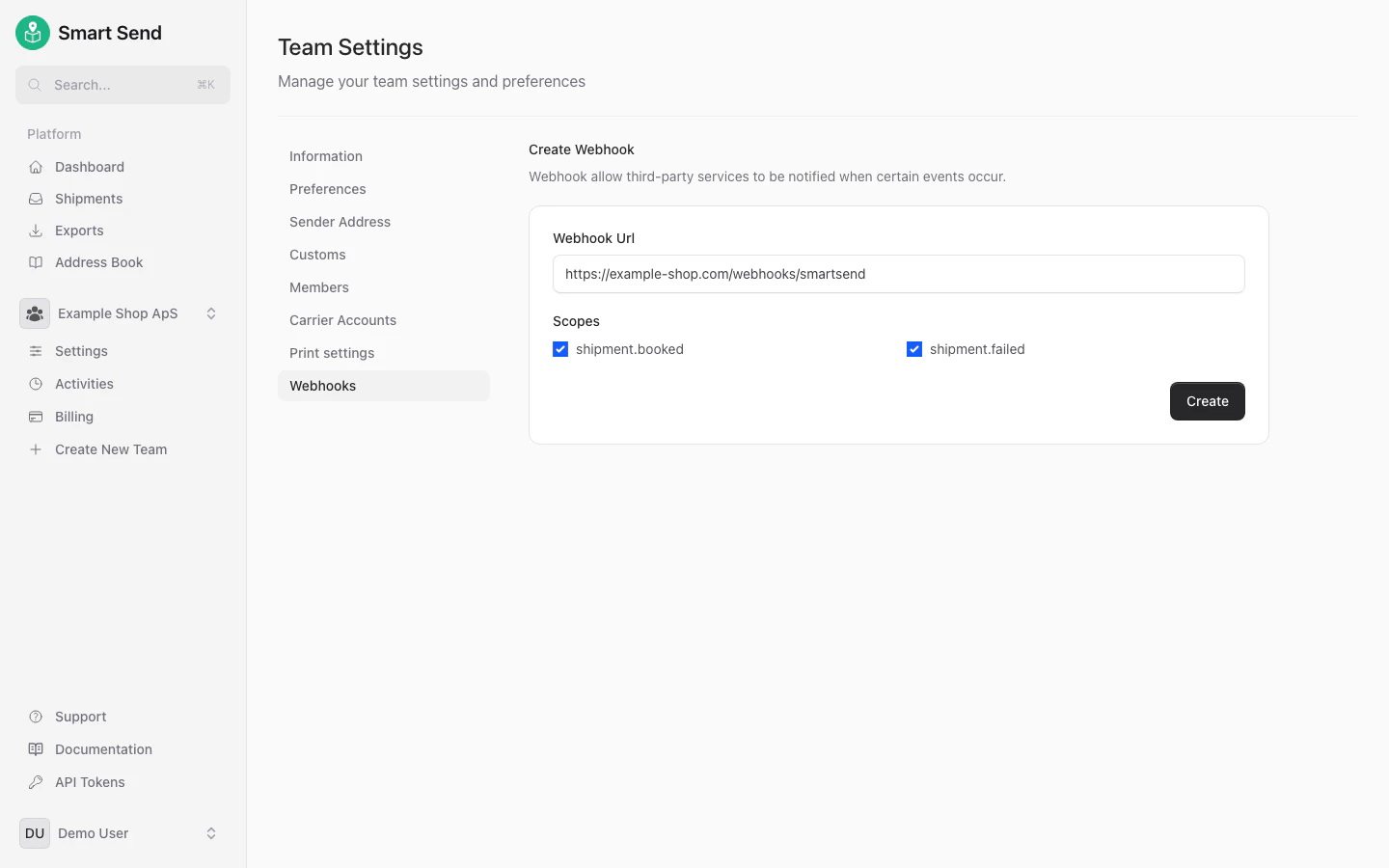
3
Save the webhook
Click Create to save the webhook
Delete a webhook
To remove a webhook, start by logging into the Smart Send platform .1
Navigate to Webhooks
Go to Settings → Webhooks
2
Delete webhook
Find the webhook you want to remove and click Delete next to it.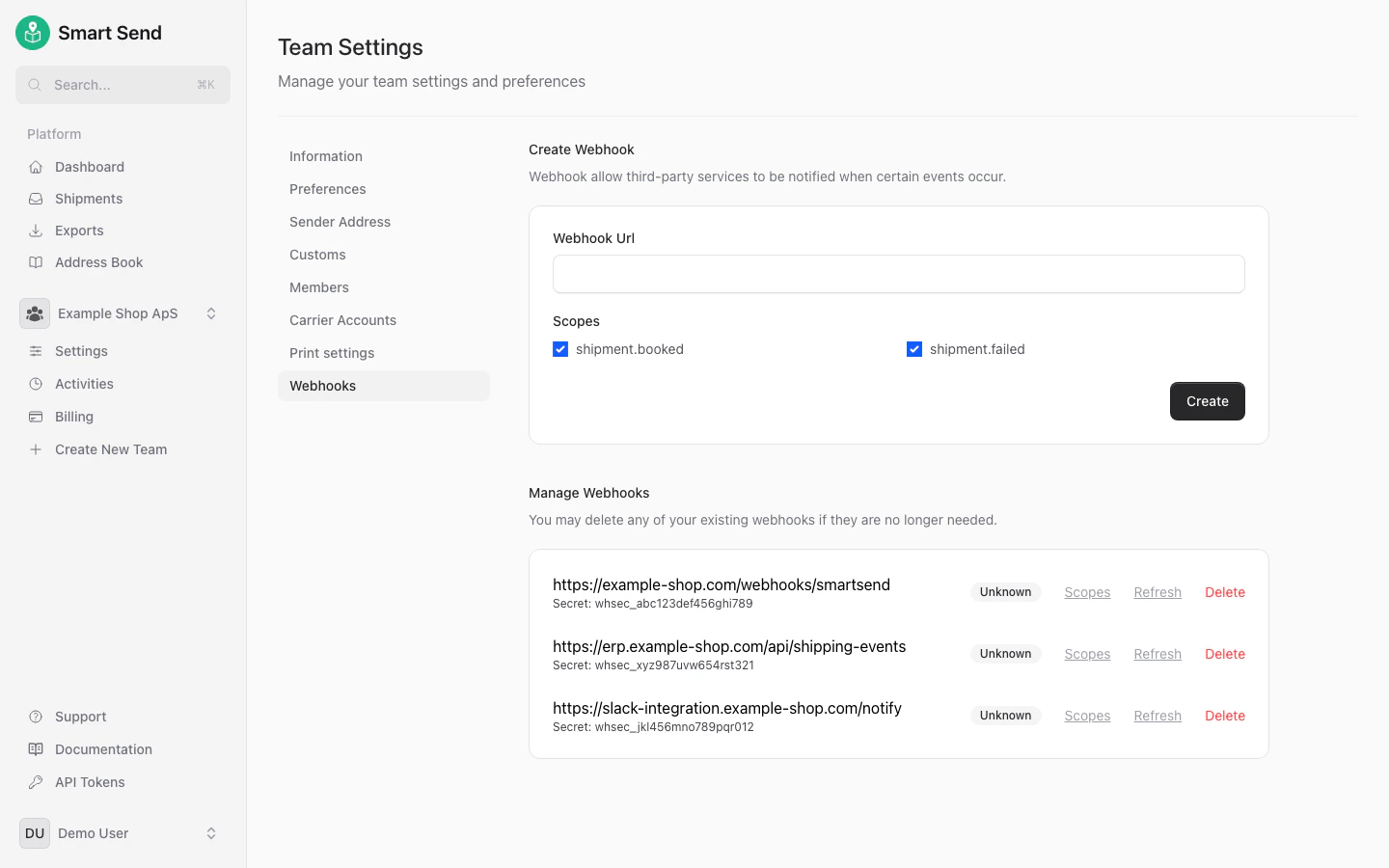
3
Confirm deletion
Confirm delition by clicking Delete in the confirmation modal